What Is the Guaranty Trust Bank (GTBank) USSD Code Nigeria? *737# Guide for 2026
The GTBank USSD code is *737#. Dial it on any phone in Nigeria and a banking menu opens on your screen within seconds, with no data, no app and no smartphone required. Guaranty Trust Bank built this service so that an account holder can move money, top up a line and check an account from a basic handset, on every network.
Millions of Nigerians search for this code because it solves real problems: a weak signal, a phone with no data left, a banking app that refuses to load, or a simple wish to finish a payment quickly. One short code covers all of it.
This guide explains what the code does, how to activate it, the full list of GTBank USSD shortcuts you can use in 2026 and the habits that keep your account safe while you dial.
What the GTBank USSD code *737# does
USSD stands for Unstructured Supplementary Service Data. It is a live session between your phone and the bank that runs through your network, which is why it works without internet. Each time you dial, the bank returns a menu, you answer with a number and the session continues until your request is complete.
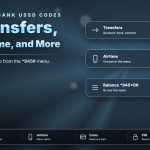
GTBank calls the service 737 Banking. From the main menu you can transfer money to GTBank and other banks, buy airtime and data, open a new account, check balances, generate an OTP, request an airtime or salary advance and make a cardless withdrawal. The service is tied to the phone number registered on your account, so the number you dial from matters.
How to activate *737# on your phone
Activation takes a few minutes and you do it once. Before you start, confirm that the phone number you will use is the one linked to your GTBank account.
- Dial *737# from the registered phone number.
- Follow the prompts and set a secure USSD PIN when the menu asks for it.
- Confirm the PIN to complete the activation.
- Wait for the confirmation message, then dial *737# again to open the full menu.
During a transaction the bank asks you to authorise with your 737 PIN or the last four digits of your GTBank debit card. Keep that PIN to yourself and choose a number that is not tied to your birthday or phone number.
GTBank USSD codes list for 2026
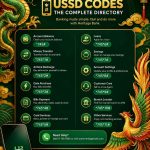
These shortcuts skip the menu steps and take you straight to the service you need. Replace the words Amount, AccountNumber and PhoneNumber with real figures and end every code with the hash key.
Every shortcut above follows the same pattern: the asterisk opens the session, the numbers choose the service and the amount, and the hash key sends the request. Once you see that pattern, new codes become easy to read and easy to remember.
Dial the main code first if you prefer menus. Dial a shortcut when you already know the service, because it saves several taps and keeps the session short.
How to transfer money with the GTBank USSD code
Transfers are the most used feature of the code, and the two shortcuts below cover almost every case.
To a GTBank account: dial *737*1*Amount*AccountNumber#. A transfer of ₦5,000 to account 0123456789 looks like *737*1*5000*0123456789#.
To another bank: dial *737*2*Amount*AccountNumber#. The menu then asks you to choose the receiving bank from a list and confirms the account name before you approve.
Limits apply to USSD transfers, so a large payment may suit the mobile app or Internet Banking better. Check your daily limit before you plan a big payment.
Always read the account name on the confirmation screen. If the name is different from the person you intend to pay, cancel the session and recheck the account number. A transfer sent to a wrong account is hard to recover, and one extra look takes only a few seconds.
Airtime and data with *737#
To buy airtime for your own line, dial *737*Amount#. Dial *737*500# and ₦500 in airtime is paid from your account. For another person, dial *737*Amount*PhoneNumber# and the airtime reaches that number.
For data, dial *737*4# and select the network and bundle from the menu. If you run short before payday, the airtime advance code *737*8*1# and the salary advance code *737*8*2# open the borrowing options for eligible customers.
When *737# does not respond
Most failed sessions come from a few simple causes, and you can fix each one in a minute:
- Check that you are dialling from the registered phone number, because the service recognises that line.
- Move to a spot with a stronger signal, then redial. A dropped network session ends the request.
- Confirm that the code ends with the hash key and that no digit is missing between the asterisks.
- Wait a minute and try again if the menu shows a busy message, since heavy traffic around month end can slow sessions.
- Reactivate the service with the main code if the menu keeps asking for a PIN you cannot remember.
If a transfer shows as failed, wait for the confirmation message before repeating it. A second attempt sent too early can create a duplicate payment, and the message tells you the true status of the first one.
Safety rules for GTBank USSD banking
- Dial only from the phone number registered on your account.
- Never share your 737 PIN, OTP or card digits with anyone, including people who claim to work for the bank.
- Type the code yourself. Do not tap a code sent in a message or a link you did not request.
- Read each confirmation screen before you approve the amount and the account name.
- Keep your SIM safe. If you lose the phone, report it to the bank and secure the line quickly.
- Save every confirmation message as your receipt.
GTBank USSD code quick answers
What is the GTBank USSD code? It is *737#.
Does it need internet? No. It runs through your network, so any phone can use it.
How do I check my balance? Dial *737*6*1# and follow the prompt.
How do I open an account with it? Dial *737*0# and follow the steps on the screen.
Save these shortcuts in your notes, practise the transfer code once with a small amount and you will handle most of your banking in under a minute from any phone.