FNB USSD Code South Africa (*120*321#)
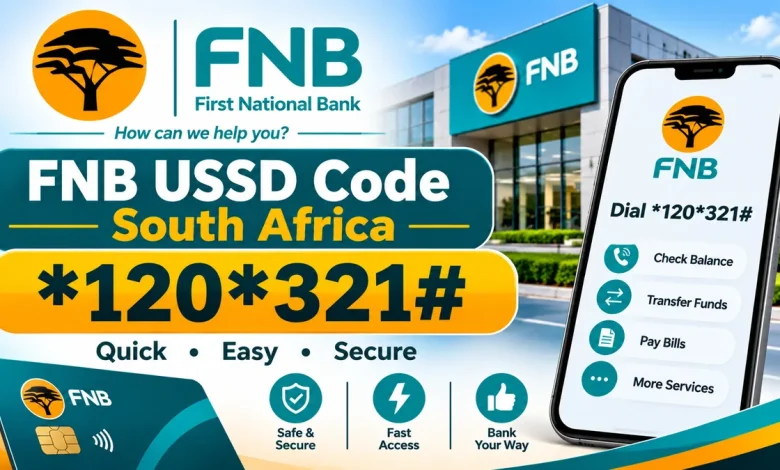
The FNB USSD code in South Africa is *120*321#. It gives First National Bank customers access to cellphone banking services directly from their mobile phones without downloading the FNB Banking App or using mobile data.
Customers can use the service to check account balances, transfer money, send money through eWallet, purchase prepaid airtime and data, buy electricity and pay accounts. FNB also provides a second code, *130*321#, which is particularly useful for purchasing airtime and data when you have no airtime available.
What Is the FNB USSD Code?
The main FNB cellphone banking USSD code is *120*321#. Dial this number from your mobile phone and follow the instructions displayed to access the available banking services.
FNB CELLPHONE BANKING CODE
First National Bank · South Africa
FNB USSD Codes
| Banking service | USSD code |
|---|---|
| Main cellphone banking | *120*321# |
| Airtime and data top-up | *130*321# |
What Can You Do with FNB USSD Banking?
FNB cellphone banking provides access to several banking and prepaid services. Depending on your account and registration, you can use it for the following:
View your available account balances.
Transfer money between eligible accounts.
Send money to another person’s cellphone number.
Purchase prepaid airtime, SMS and data bundles.
Purchase prepaid electricity.
Pay accounts and make supported payments.
View, dispute and stop eligible debit orders.
Access supported voucher and prepaid purchases.
How to Register for FNB Cellphone Banking
FNB customers can register for cellphone banking using their mobile phones. The bank also provides registration through online banking, ATMs and its branches.
To register using your cellphone:
- Make sure you have an eligible FNB account.
- Use the cellphone number you want to register for banking.
- Dial *120*321#.
- Accept the terms and conditions displayed.
- Follow the registration instructions.
- Choose your five-digit cellphone banking PIN when prompted.
- Complete the registration process.
Other registration options include:
- Online Banking: Log in to FNB Online Banking and open Settings.
- FNB ATM: Select More Options or My Banking Options and choose Register for Cellphone Banking.
- FNB branch: Visit a branch for registration assistance.
FNB’s cellphone banking service uses a five-digit PIN for authentication. Keep this PIN confidential and do not share it with anyone.
How to Check Your FNB Account Balance Using USSD
You can check your account balance through FNB cellphone banking by following these steps:
- Dial *120*321#.
- Enter your five-digit cellphone banking PIN when requested.
- Select the account or balance enquiry option.
- Follow the displayed instructions to view your balance.
How to Transfer Money Using FNB USSD Code
FNB cellphone banking allows registered customers to transfer money between eligible FNB accounts and make supported payments.
To start a transfer:
- Dial *120*321#.
- Enter your cellphone banking PIN.
- Choose the payments or transfers option.
- Select the appropriate transfer type.
- Enter the requested account and payment details.
- Review the transaction information before confirming.
The options available may depend on your account and the type of payment you are making.
How to Send Money Using FNB eWallet USSD
FNB customers can send money to another person’s cellphone number through eWallet using cellphone banking.
- Dial *120*321#.
- Enter your cellphone banking PIN.
- Select Send Money.
- Choose eWallet.
- Select the account from which you want to send money.
- Enter the recipient’s cellphone number, name and surname.
- Enter the amount you want to send.
- Check the recipient’s information and amount.
- Confirm the transaction.
You must be registered for FNB cellphone banking to send money through this method. Always verify the recipient’s cellphone number before confirming the payment.
How to Buy Airtime and Data Using FNB USSD
FNB provides two cellphone banking codes for accessing its prepaid services. The main code is *120*321#, while *130*321# is useful when you need to recharge but have no airtime.
Using the main cellphone banking code:
- Dial *120*321#.
- Enter your cellphone banking PIN.
- Select the Buy or prepaid option.
- Choose airtime or data.
- Enter the cellphone number and amount where requested.
- Follow the prompts to complete your purchase.
When you have no airtime: Dial *130*321# to access the supported airtime and data top-up service.
What Is the Difference Between *120*321# and *130*321#?
Both codes are provided by FNB, but they serve different purposes.
| Code | Purpose |
|---|---|
| *120*321# | Main cellphone banking menu for banking, payments and prepaid services. |
| *130*321# | Airtime and data top-ups, including when you have no airtime. |
If you want to access your general banking menu, use *120*321#. If you need to recharge your cellphone without airtime, use *130*321#.
Does FNB USSD Work Without Internet?
Yes. FNB cellphone banking is designed to work without a mobile data connection. You can access the USSD menu using a compatible cellphone and an active mobile network connection.
You do not need to install the FNB Banking App to use the cellphone banking menu. However, you must register for the service and use your cellphone banking PIN when prompted.
Can You Use FNB USSD on Any Mobile Network?
FNB’s cellphone banking information lists support for customers using MTN, Vodacom, Cell C and Virgin Mobile. The bank also states that customers who port their numbers to another supported network can continue using cellphone banking.
Availability can depend on the mobile network and the service being accessed.
FNB Cellphone Banking Charges
FNB provides free registration and does not charge a monthly subscription fee for cellphone banking. However, standard mobile network charges may apply.
Individual banking transactions may also carry account-specific fees. Check FNB’s latest pricing guide for the charges applicable to your account and transactions.
What to Do If the FNB USSD Code Is Not Working
If *120*321# does not open or you cannot complete a transaction, try the following:
- Check that you dialled the correct code.
- Make sure your mobile phone has a network signal.
- Confirm that your cellphone number is registered for FNB cellphone banking.
- Check that you are entering the correct five-digit cellphone banking PIN.
- Restart your phone and try again.
- Try again later if the network or banking service is temporarily unavailable.
If the problem continues, contact FNB through its official customer support channels.
Frequently Asked Questions
1. What is the FNB USSD code in South Africa?
The main FNB cellphone banking code is *120*321#.
2. Is FNB the same as FBN Bank?
The correct name is First National Bank, abbreviated as FNB. FBN is not the correct abbreviation for the South African bank.
3. What is the FNB code for buying airtime?
You can buy airtime through *120*321#. You can also dial *130*321# for supported airtime and data top-ups, including when you have no airtime.
4. How do I check my FNB account balance using USSD?
Dial *120*321#, enter your cellphone banking PIN and select the balance enquiry option.
5. Can I send money using FNB USSD?
Yes. Registered customers can use the cellphone banking menu to send money through supported services, including eWallet.
6. Can I use FNB cellphone banking without data?
Yes. The USSD service does not require mobile data or an internet connection.
7. How do I register for FNB cellphone banking?
Dial *120*321# and accept the terms and conditions, then follow the registration instructions. You can also register through Online Banking, an FNB ATM or a branch.
8. What is the FNB cellphone banking PIN?
It is a five-digit PIN selected during registration and used to authenticate cellphone banking transactions.
9. Can I use *130*321# for normal banking?
*130*321# is primarily provided for airtime and data top-ups. Use *120*321# for the main cellphone banking menu.
10. Does FNB charge a monthly fee for USSD banking?
FNB states that cellphone banking has free registration and no monthly subscription fee. Standard mobile network charges may apply.
Use the main code to access FNB cellphone banking in South Africa. For supported airtime and data top-ups when you have no airtime, dial *130*321#.