Capitec USSD Code South Africa (*120*3279#)
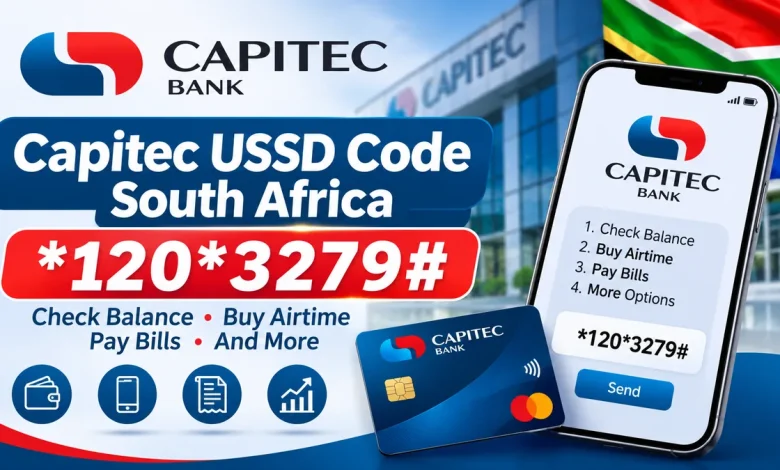
The Capitec USSD code in South Africa is *120*3279#. It gives Capitec Bank customers access to mobile banking services directly from their cellphones without opening the Capitec app or using mobile data.
Customers can use the code to check account balances, transfer money between their accounts, send cash to friends and family, pay other Capitec clients, purchase airtime and data, buy prepaid electricity, pay bills and access several other banking services. Capitec also provides *130*3279# for topping up your cellphone when you have no airtime.
What Is the Capitec USSD Code?
The main Capitec Bank cellphone banking code is *120*3279#. Dial it from the cellphone number registered with your Capitec account to open the mobile banking menu.
CAPITEC BANK USSD CODE
Mobile Banking · South Africa
Capitec USSD Codes
| Service | USSD Code |
|---|---|
| Main mobile banking | *120*3279# |
| Airtime top-up without airtime | *130*3279# |
Use *120*3279# for the main banking menu. If you have run out of airtime, dial *130*3279# to top up your cellphone. Capitec states that this top-up transaction is free of charge.
What Can You Do with the Capitec USSD Code?
Capitec mobile banking provides access to a range of everyday banking services. The available options include:
View the balances of your Capitec accounts.
Transfer money between your accounts.
Send cash to friends and family using a collection code.
Buy prepaid airtime, data and SMS bundles.
Purchase prepaid electricity.
Pay supported bills and accounts.
Pay other Capitec clients using verified cellphone numbers.
Purchase supported digital vouchers.
View your last five transactions.
Stop a lost or stolen card and manage supported card settings.
How to Register for Capitec USSD Banking
Before accessing Capitec mobile banking for the first time, you must register for the service at a Capitec branch. The bank requires you to register a Mobile Banking PIN, which you will use to approve certain transactions.
After completing registration, follow these steps to access the service:
- Insert the SIM card containing your verified cellphone number into your phone.
- Dial *120*3279#.
- Wait for the mobile banking menu to appear.
- Follow the displayed instructions.
- Enter your Mobile Banking PIN when requested to approve a transaction.
Capitec links mobile banking to a specific registered cellphone number. If you replace your phone, insert the SIM card containing your verified number to continue using the service.
How to Check Your Capitec Account Balance Using USSD
You can check your Capitec account balance without opening the mobile banking app.
- Dial *120*3279#.
- Follow the menu instructions.
- Select the balance enquiry option.
- Choose the relevant account if requested.
- Follow the prompts to view your balance.
How to Transfer Money Using Capitec USSD
Capitec mobile banking allows customers to transfer money between their own eligible accounts through the USSD menu.
- Dial *120*3279#.
- Select the transfer option from the menu.
- Choose the account you want to transfer money from.
- Select the account that should receive the money.
- Enter the amount.
- Review the transaction details.
- Enter your Mobile Banking PIN when requested to confirm.
Make sure the correct accounts and amount are selected before approving the transaction.
How to Send Money Using Capitec USSD
Capitec customers can use the Send Cash service to send money to friends and family. The recipient can collect the cash using the transaction reference and secret code.
To send cash using USSD:
- Dial *120*3279#.
- Reply 2, then reply 3 when prompted.
- Accept the terms and conditions if requested.
- Reply 1 to continue.
- Choose the account from which the money will be sent.
- Enter the amount.
- Create a four-digit secret code for cash collection.
- Enter your Mobile Banking PIN to approve the transaction.
Share the collection reference and secret code with the intended recipient securely. Do not share these details with anyone else.
How to Pay Another Capitec Client Using USSD
Capitec mobile banking also allows you to pay another Capitec client using their verified cellphone number.
- Dial *120*3279#.
- Choose the payment option.
- Select the option to pay a Capitec client.
- Enter or select the recipient’s verified cellphone number.
- Enter the payment amount.
- Check the recipient and amount carefully.
- Enter your Mobile Banking PIN to confirm the payment.
Always verify the recipient’s cellphone number before approving a payment.
How to Buy Airtime and Data Using Capitec USSD
You can purchase prepaid airtime, data and SMS bundles using the main Capitec USSD code.
- Dial *120*3279#.
- Choose Buy.
- Select Airtime, Data Bundle or SMS Bundle.
- Choose the account you want to pay from.
- Select your mobile network provider.
- Choose the bundle or validity period.
- Select your own number or enter another cellphone number.
- Enter your Mobile Banking PIN to confirm the purchase.
You can purchase supported prepaid products for yourself or another person.
Capitec USSD Code for Airtime When You Have No Airtime
If your cellphone has run out of airtime, you do not have to wait until you can recharge through a shop. Capitec provides a separate USSD code that allows you to top up your own cellphone.
CAPITEC NO-AIRTIME TOP-UP CODE
Free airtime top-up transaction
Dial *130*3279# to access the airtime top-up service. Capitec states that this transaction is free of charge through your service provider.
How to Buy Prepaid Electricity Using Capitec USSD
Capitec customers can purchase prepaid electricity through mobile banking without using the app.
- Dial *120*3279#.
- Choose Buy.
- Select Electricity.
- Choose the account to pay from.
- Enter the purchase amount or select an available amount.
- Enter your electricity meter number.
- Check the details and enter your Mobile Banking PIN to confirm.
Make sure the meter number is correct before completing the purchase.
Does Capitec USSD Work Without Internet?
Yes. Capitec mobile banking works through USSD, so you do not need mobile data or an internet connection to access the menu.
You can use almost any cellphone that can send and receive SMS messages. However, you must have registered for mobile banking and use the cellphone number linked to your Capitec account.
Capitec USSD Banking Charges
Capitec states that mobile banking has no monthly subscription fee. However, your mobile network provider may charge airtime for using the USSD service.
According to Capitec’s mobile banking FAQs, network providers usually charge approximately 20 cents for every 20 seconds of a USSD session. The exact charge depends on your service provider.
The separate *130*3279# airtime top-up transaction is free of charge. Some banking transactions, such as Pay Bill and voucher purchases, may have their own transaction fees.
What to Do If the Capitec USSD Code Is Not Working
If you dial *120*3279# and the service does not open or a transaction fails, check the following:
- Confirm that you entered the correct USSD code.
- Check that your cellphone has a mobile network signal.
- Make sure you are using the SIM card with your verified cellphone number.
- Confirm that you have registered for Capitec mobile banking at a branch.
- Check that you are entering the correct Mobile Banking PIN.
- Try again if your USSD session has timed out.
- Contact Capitec if your access remains unavailable.
If a session times out after you have already entered information, Capitec says you may be able to continue where you stopped by redialling the code within five minutes. If you already approved the transaction with your PIN, check for an SMS confirmation before attempting it again.
Capitec Mobile Banking Customer Care
If you cannot register, have forgotten your Mobile Banking PIN or need help with a transaction, contact Capitec Client Care.
CAPITEC 24-HOUR CLIENT CARE
For assistance with mobile banking, account access and card security.
Frequently Asked Questions
1. What is the Capitec USSD code in South Africa?
The main Capitec Bank USSD code is *120*3279#. It opens the mobile banking menu.
2. What is the Capitec code for airtime when you have no airtime?
Dial *130*3279# to top up your cellphone when you have no airtime. Capitec states that the top-up transaction is free.
3. Can I check my Capitec balance using USSD?
Yes. Dial *120*3279# and follow the menu instructions to view your account balance.
4. Can I transfer money using the Capitec USSD code?
Yes. You can transfer money between your eligible Capitec accounts using the mobile banking menu.
5. Can I send cash using Capitec USSD?
Yes. The Send Cash service allows you to send money to friends and family using a collection reference and a four-digit secret code.
6. Can I buy airtime using Capitec USSD?
Yes. Dial *120*3279#, select Buy and choose Airtime, Data Bundle or SMS Bundle.
7. Can I buy electricity using Capitec USSD?
Yes. Select Buy and then Electricity from the mobile banking menu. Enter your meter number and purchase amount to continue.
8. Does Capitec USSD require mobile data?
No. USSD mobile banking does not require mobile data or an internet connection.
9. Do I need to register before using Capitec USSD banking?
Yes. You must register for mobile banking at a Capitec branch and create a Mobile Banking PIN before using the service.
10. Does Capitec charge a monthly fee for USSD banking?
No. Capitec states that mobile banking has no monthly subscription fee. However, your mobile network provider may charge airtime for USSD sessions.
11. What is the Capitec customer care number?
You can call Capitec’s 24-hour Client Care Centre on 0860 10 20 43.
Use the code to access Capitec mobile banking, check balances, transfer money, send cash, buy airtime and data, purchase electricity and pay bills. If you have no airtime, dial *130*3279# for a free top-up transaction.