MTN MiFi Price in Nigeria: 4G & 5G MiFi, Data Plans & Where to Buy
If you are looking for a reliable way to connect your phone, laptop, tablet, smart TV and other devices to the internet without depending on your smartphone hotspot, an MTN MiFi can be a practical option.
In this guide, we will explain what MTN MiFi is, how it works, the current prices, the difference between MTN 4G MiFi and 5G MiFi, available data options, where to purchase an original device and some important things to check before buying one.
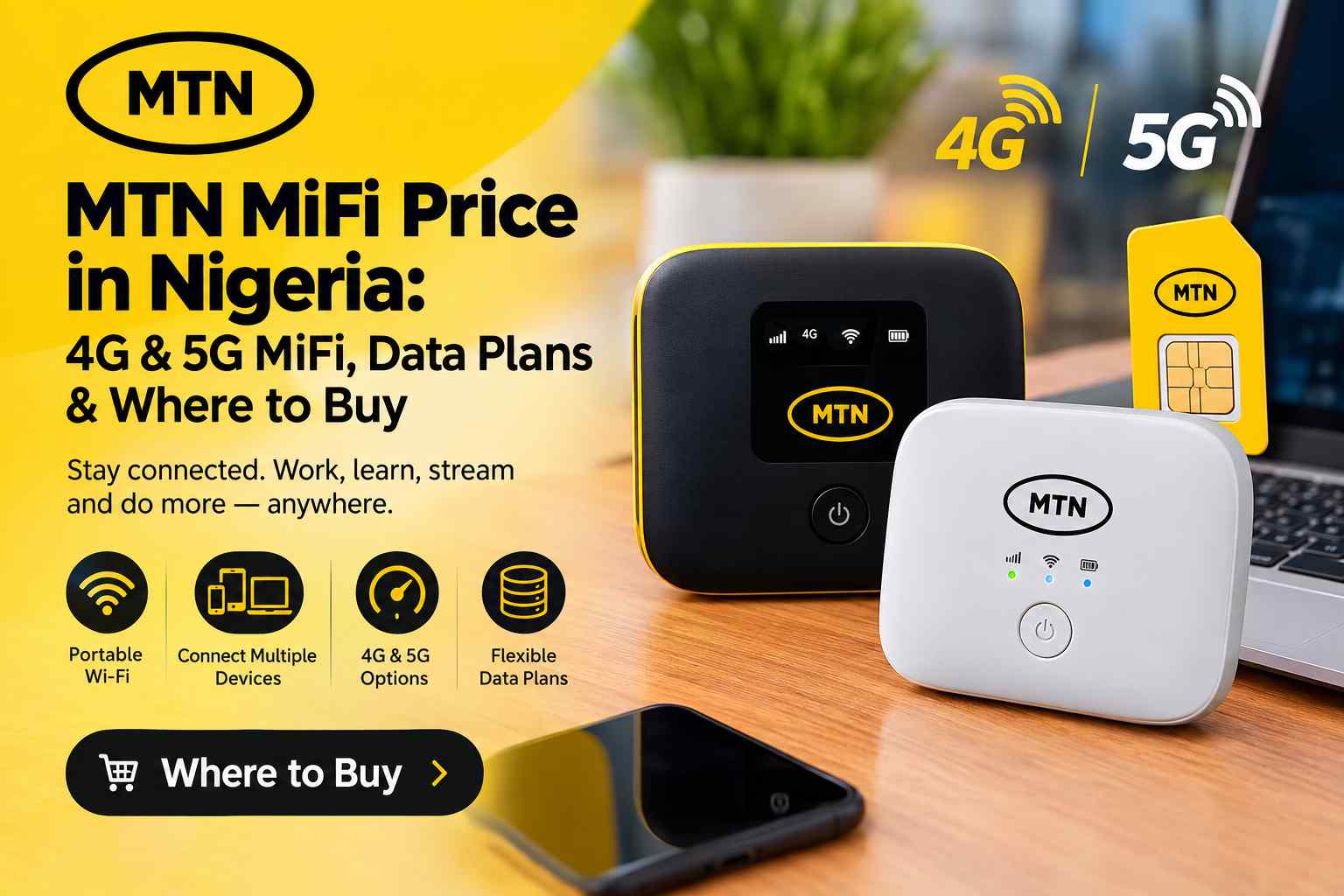
What Is MTN MiFi?
MTN MiFi is a portable Wi-Fi device that uses an MTN SIM card and mobile network connection to provide internet access to other Wi-Fi-enabled devices.
The device works similarly to the hotspot feature on a smartphone, but it is designed specifically to provide internet connectivity through a dedicated portable device.
Once the MiFi is switched on and connected to the MTN network, it creates a Wi-Fi network. You can then connect your smartphone, laptop, tablet, smart TV, gaming device or other compatible equipment to that network using the Wi-Fi name and password.
One major advantage is that your phone does not have to remain connected to the internet in order to provide a hotspot. The MiFi handles the connection separately.
MTN MiFi Price in Nigeria
The price of an MTN MiFi can depend on the model and current MTN promotions.
At the time of checking the official MTN Nigeria device listings, the MTN 4G MiFi was listed at ₦15,000, while the MTN 5G MiFi was listed at ₦70,000.
Because device prices and stock can change, it is advisable to check the official MTN store before making payment. Do not rely entirely on an old social media post or an outdated article when checking the price.
You can check MTN’s official device store here:
Buy or check MTN MiFi availability on the official MTN eShop
MTN’s main devices page also lists its broadband products, including the 4G MiFi and 5G MiFi.
MTN 4G MiFi
The MTN 4G MiFi is designed for customers who need portable internet access over MTN’s 3G and 4G network coverage.
According to MTN, the broadband MiFi supports 3G and 4G LTE networks, includes Wi-Fi security and is designed for use both at home and while travelling.
The device can connect multiple Wi-Fi-enabled devices at the same time, making it useful when several people or devices need internet access.
For someone who mainly browses websites, uses social media, sends messages, attends online classes, works remotely or streams content, a 4G MiFi can be a more affordable starting point than purchasing a 5G device.
MTN 5G MiFi
The MTN 5G MiFi is the higher-speed option for users who are within suitable MTN 5G coverage areas.
MTN describes the 5G MiFi as a high-speed portable broadband Wi-Fi device. It can connect up to 10 Wi-Fi-enabled devices simultaneously, including smartphones, tablets, laptops, computers, game consoles and smart TVs.
MTN currently lists the 5G MiFi at ₦70,000 on its official device listings.
One of the current promotional benefits attached to the MTN 5G MiFi is a free 120GB data allocation valid for 30 days after purchase and activation. MTN also advertises a 50% data bonus for six months on data purchases associated with the device, subject to the applicable terms and conditions.
You can read MTN’s official information about the 5G MiFi here:
MTN 4G MiFi vs MTN 5G MiFi
| Feature | MTN 4G MiFi | MTN 5G MiFi |
|---|---|---|
| Network | 3G / 4G | 5G |
| Current listed price | ₦15,000 | ₦70,000 |
| Portable | Yes | Yes |
| Wi-Fi connectivity | Yes | Yes |
| Best suited for | Everyday internet use | Higher-speed internet use |
| Activation bonus | Check current offer | 120GB for 30 days under current offer |
The best choice depends on your budget, location and internet requirements. Buying a 5G MiFi does not automatically mean you will always receive 5G speeds. Your location must have suitable MTN 5G coverage, and network conditions can also affect performance.
Where Can You Buy MTN MiFi?
The safest option is to purchase your MiFi directly from an official MTN sales channel.
1. MTN Official eShop
You can check MTN’s official online store for available MiFi models and other broadband devices. The MTN eShop provides an online shopping platform for MTN devices and broadband products.
Visit the official MTN eShop to check MiFi devices
Before paying, confirm the exact model, current price, availability and delivery information displayed on the store.
2. MTN Authorized Stores
You can also purchase an MTN MiFi from an MTN authorized store. This can be particularly useful if you prefer to inspect the device physically before buying it.
MTN’s official 5G MiFi page lists authorized locations where customers can obtain the device, including MTN service centres in different parts of Nigeria.
If you are buying from a physical store, make sure it is an authorized MTN outlet rather than an unknown seller claiming to sell a new MTN device.
What Comes With an MTN MiFi?
The exact contents of a MiFi package can depend on the model and package being sold. Generally, the device is supplied with the necessary accessories for charging and getting started.
If a SIM card is included with your particular package, follow the registration instructions provided by MTN. For the current 5G MiFi offer, MTN instructs customers to register the SIM that comes with the device before using it.
How to Activate MTN 5G MiFi
MTN provides an activation process for the 5G MiFi promotional data.
- Purchase an eligible MTN 5G MiFi.
- Register the SIM supplied with the device at the appropriate MTN registration point if required.
- Insert the MTN SIM card into the MiFi.
- Switch on the MiFi.
- Send 5Gmifi to 312 to activate the advertised free 120GB data.
- Connect your phone, laptop or other device to the MiFi’s Wi-Fi network.
- Use the Wi-Fi name and password supplied with the device.
The promotional benefits may be subject to MTN’s applicable terms, eligibility requirements and activation conditions, so check the current official offer before relying on the promotion.
How Many Devices Can Connect to MTN MiFi?
The MTN 5G MiFi can connect up to 10 Wi-Fi-enabled devices simultaneously, according to MTN.
This makes it useful for situations where you have several devices that need internet access at the same time.
For example, you could connect a laptop for work, a smartphone for messaging, a tablet for studying and other compatible devices to the same MiFi.
However, connecting more devices can increase the amount of data being consumed. If several devices are streaming high-resolution videos or downloading large files simultaneously, your data allowance can disappear much faster.
MTN MiFi Data Plans
Owning a MiFi is only part of the equation. You also need a data bundle to access the internet.
MTN provides broadband data options for its MiFi and other broadband devices. Customers can manage and purchase eligible broadband bundles through several channels.
MTN’s broadband support information lists channels including the myMTN NG app, MTN eShop, myMTN web, Zigi, USSD and MoMo.
For broadband device management, MTN also provides the *312*500# service. Customers can use the relevant menu options to link their broadband device, recharge it, purchase broadband data and check the device balance.
MTN also provides *461# options for broadband services, including a MiFi bundle option.
How to Buy Data for an MTN MiFi
There are several ways to purchase data for your MTN MiFi.
Using USSD
MTN provides broadband USSD options that can be used to manage your device and purchase bundles.
One of the available options is:
*312*500#
MTN also provides a MiFi-specific option through the broadband menu:
*461*7#
Always follow the menu displayed on your line because MTN can change its USSD menus and available offers.
Using the myMTN NG App
You can also use the myMTN NG app to manage eligible broadband services and purchase data bundles.
This can be convenient if you prefer to see the available bundles and prices on your screen instead of navigating a USSD menu.
Using MTN eShop
MTN’s eShop also provides broadband products and bundles. This gives customers another official channel for purchasing MTN connectivity products.
Is MTN MiFi Better Than Using Your Phone Hotspot?
It depends on how you use the internet.
If you only occasionally need internet access on a laptop, your smartphone hotspot may be enough. You do not need to buy another device when your phone already provides the functionality.
However, a dedicated MiFi becomes more attractive when you regularly connect multiple devices or want to keep your phone free for other activities.
A MiFi can also be convenient for people who move between locations and need a portable Wi-Fi connection without repeatedly turning their smartphone hotspot on and off.
Advantages of MTN MiFi
- Portable: You can carry the device with you and use it in suitable MTN coverage areas.
- Multiple connections: You can connect several Wi-Fi-enabled devices.
- Dedicated internet device: Your smartphone does not have to act as the hotspot.
- Useful for work: It can provide internet access for laptops and other work devices.
- Useful for students: Multiple devices can share the same connection.
- 4G and 5G options: Customers can choose a device according to their budget and coverage.
- Portable battery-powered connection: A MiFi can be used away from a fixed broadband installation when sufficiently charged.
Things to Consider Before Buying MTN MiFi
Before spending money on a MiFi, consider your location first.
A device can have excellent specifications, but your experience will still depend on the MTN network coverage where you intend to use it.
If you are considering the 5G MiFi, check whether MTN 5G coverage is available in the locations where you normally use the internet.
You should also consider your monthly data consumption. If you frequently stream videos, download large files, attend video meetings or upload content, you may need a larger broadband data plan.
Finally, consider whether you actually need a dedicated MiFi. If you only use one device occasionally, a smartphone hotspot could be sufficient.
Is MTN MiFi Worth Buying?
For people who need portable internet access across multiple devices, MTN MiFi can be a useful investment.
The 4G MiFi is the more affordable option based on the current listed prices, while the 5G MiFi costs considerably more but provides access to MTN’s 5G network where coverage is available.
The 5G model can make more sense for users who need higher speeds and regularly perform demanding activities such as large downloads, uploads, high-quality streaming and other bandwidth-intensive tasks.
For lighter everyday internet use, the 4G option may provide better value if MTN 4G coverage is strong in your area.
How to Avoid Buying a Fake MTN MiFi
One of the most important things to remember when buying a MiFi is to consider the source.
Instead of sending money to an unknown social media account because someone advertised an unusually cheap device, consider purchasing directly through an official MTN channel.
Check the device packaging, model information, receipt and any documentation supplied with the product.
If the price is dramatically lower than the official price and the seller is unable to explain why, be cautious.
The safest approach is to use the official MTN eShop or an MTN-authorized store.
Frequently Asked Questions About MTN MiFi
How much is MTN MiFi in Nigeria?
At the time of checking the official MTN listings, the MTN 4G MiFi was listed at ₦15,000 while the MTN 5G MiFi was listed at ₦70,000. Prices and availability can change, so check the official MTN store before purchasing.
Where can I buy an original MTN MiFi?
You can purchase an MTN MiFi through the official MTN eShop or from an MTN-authorized store. Using an official sales channel reduces the risk of buying an unauthorized or incorrectly represented device.
How many devices can MTN 5G MiFi connect?
MTN says its 5G MiFi can connect up to 10 Wi-Fi-enabled devices simultaneously.
Does MTN 5G MiFi come with free data?
The current MTN 5G MiFi offer includes 120GB of free data valid for 30 days after purchase and activation, subject to the applicable offer conditions.
Can I use MTN MiFi outside my home?
Yes. A portable MiFi can be used in different locations where the applicable MTN network coverage is available. This is one of the main advantages of a portable broadband device.
Can I use an MTN MiFi for a laptop?
Yes. A laptop can connect to the MiFi through Wi-Fi just like it would connect to another wireless network.
Is 5G MiFi better than 4G MiFi?
Not necessarily for everyone. The 5G MiFi can offer higher-speed connectivity where suitable 5G coverage is available, but the 4G MiFi is considerably cheaper based on the current listed prices. Your location and internet requirements should determine which one is better for you.
Final Verdict
MTN MiFi is a convenient option for Nigerians who want portable internet access without relying on their smartphone’s hotspot feature.
The current MTN lineup gives customers a choice between an affordable 4G MiFi and a more expensive 5G MiFi. The 4G model is suitable for everyday browsing and general internet use, while the 5G model is aimed at customers who want faster connectivity and have access to MTN 5G coverage.
If you are ready to buy, the best place to start is the official MTN eShop. Check the current price and availability before making payment because MTN device prices, stock and promotional benefits can change.
Check MTN MiFi and broadband devices on the official MTN eShop
For the latest information about the MTN 5G MiFi, including its current promotional benefits and authorized purchase locations, you can also visit the official MTN 5G MiFi page.