How to Link NIN to Glo: Easy Methods to Link Your NIN to Your Glo SIM
If you use a Glo SIM in Nigeria and need to link your National Identification Number (NIN) to your mobile line, there are several ways you can complete the process. Glo provides different channels that allow subscribers to submit their NIN without necessarily visiting a Glo outlet.
What Is NIN Linking?
NIN linking is the process of associating your National Identification Number with your mobile phone number.
In Nigeria, mobile subscribers are required to have their SIM registration information properly associated with their NIN. This helps telecommunications operators maintain accurate subscriber records and comply with regulatory requirements.
If you have received messages from Glo asking you to update or link your NIN, you should take the notification seriously and confirm the status of your line.
Glo states that customers who have already linked their NIN can check their status using the available verification option rather than repeatedly submitting their information.
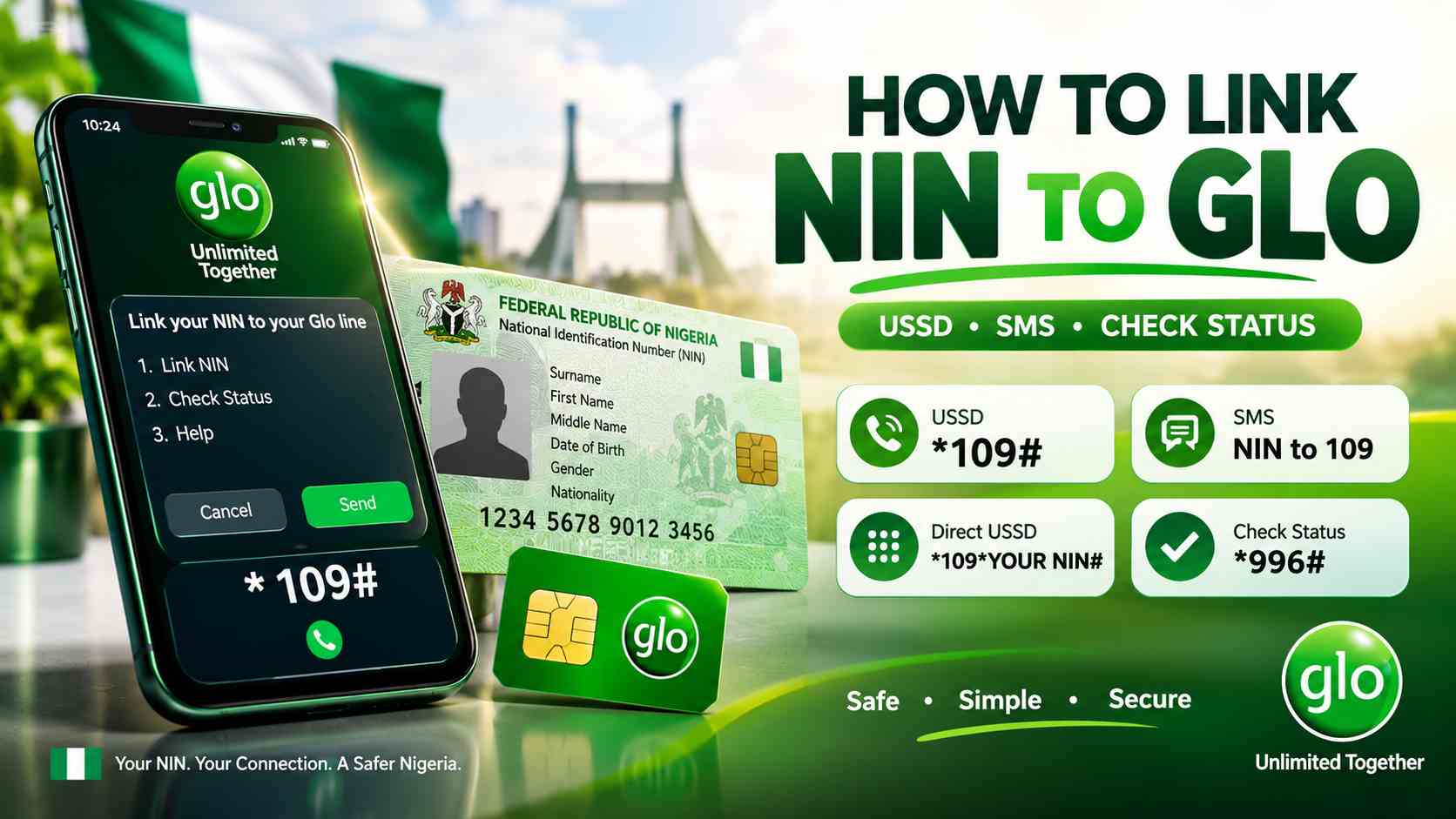
How to Link NIN to Glo
There are several methods you can use to link your NIN to your Glo line. The easiest option depends on what works on your line and which Glo channel you prefer.
Method 1: Link NIN to Glo by SMS
One of the methods provided by Glo is to send your NIN to 109.
Glo has also previously provided a specific SMS format for updating subscriber information:
UPDATENIN NIN FirstName LastName
For example, if your NIN were 12345678903 and your name were John Adewale, the message would follow the required format using your actual NIN, first name and last name.
Send the required information to:
109
It is important to use your real NIN and the correct personal information associated with your SIM registration. Do not send your NIN to unofficial numbers or websites claiming to be Glo.
Method 2: Link NIN to Glo Using *109#
You can also use the Glo USSD option to submit your NIN.
From your Glo SIM, dial:
*109#
Follow the instructions displayed on your phone to complete the process.
This method can be useful if you do not want to send an SMS manually.
Method 3: Use *109*Your NIN#
Glo also provides a direct USSD format for submitting your NIN.
Dial:
*109*YOUR-NIN#
Replace YOUR-NIN with your actual 11-digit NIN.
For example, if your NIN were 12345678903, the format would be:
*109*12345678903#
Do not copy the example NIN above. It is only an illustration of the format. Always use your own valid NIN.
Method 4: Call 109
If you prefer to speak with Glo customer support, Glo has also provided 109 as a channel for NIN updating.
Call 109 from your Glo line and follow the instructions provided by the customer-care system or representative.
This option can be particularly useful if you are experiencing problems with the USSD or SMS methods.
How to Check If Your NIN Is Already Linked to Glo
If you are not sure whether your NIN has already been linked to your Glo number, you should check your status before attempting the process repeatedly.
Glo currently advises subscribers who receive messages asking them to register again to dial:
*996#
If the response confirms that your line has already been linked, you can ignore an outdated message asking you to register again.
However, if the response indicates that your NIN has not been linked, Glo advises customers to visit a Glo SIM registration outlet for further assistance.
What If My Glo NIN Link Is Not Working?
Sometimes a subscriber may attempt to link a NIN and receive an error message or no confirmation. There are several possible reasons this can happen.
1. Your NIN information may not match your SIM details
If the personal information associated with your NIN does not match the information attached to your SIM registration, the linking process may require additional verification.
In such cases, visiting an authorized Glo registration outlet can be the best option.
2. Your NIN may already be linked
You may be attempting to submit your NIN even though the line has already been successfully linked.
Use the available Glo status-check option to determine whether your line is already linked.
3. Your SIM registration may need an update
If Glo’s system indicates that your line needs to be re-registered or updated, you may need to visit a Glo registration centre with your identification documents.
4. USSD or network problems
USSD services can occasionally fail because of temporary network or service issues. If a code does not work, wait and try again later or use another official Glo channel.
Where Can I Link My NIN to Glo in Person?
If you cannot complete the process remotely, you can visit a Gloworld, Glozone or authorized SIM registration outlet.
Glo maintains a list of SIM activation and registration outlets across Nigeria.
When visiting an outlet, take your valid NIN information and any identification documents that may be required for SIM registration or verification.
Glo’s official outlet information lists locations across many Nigerian states, including Lagos, Oyo, Ogun, Abuja, Anambra, Rivers, Akwa Ibom and others.
What Do I Need to Link My NIN to Glo?
The main information required for NIN linking is your valid NIN and the Glo number you want to associate with it.
If you need to visit a physical registration outlet, take your NIN slip or other valid identification documents as instructed by Glo.
Glo states that NIN is mandatory for registering and activating a new SIM. Its listed acceptable government-issued identification documents include a NIN slip, voter’s card, driver’s licence and international passport.
How to Get Your NIN If You Forgot It
If you already registered for a NIN but cannot remember the number, there is an official USSD method for retrieving it.
Dial:
*346#
This is the NIMC-related USSD option referenced by Glo for customers who already have a NIN but need to retrieve the number.
If you have never registered for a NIN, however, you will need to complete NIN enrolment through an appropriate NIMC enrolment centre.
Can I Link More Than One Glo Number to My NIN?
A person may have multiple mobile lines registered in their name, but each mobile number must have its subscriber information properly associated with the required identity information.
If you have multiple Glo lines, do not assume that linking your NIN to one line automatically means every other number has been updated.
Check each Glo number separately and follow the operator’s instructions where an update is required.
Is NIN Linking Free on Glo?
Glo’s NIN information states that SIM registration is free. Customers should be cautious about anyone demanding money simply to perform the normal NIN-linking process through official channels.
If you are asked to pay for a service that should be free, verify the request with Glo before handing over money or personal information.
Be Careful With Your NIN
Your NIN is sensitive personal information. Do not post it publicly on social media, send it to random WhatsApp numbers, or enter it on websites that you cannot verify.
When linking your NIN, use official Glo channels or visit an authorized Glo registration outlet.
Be particularly careful with websites claiming to offer a faster NIN-linking service. A website using Glo’s name or logo is not automatically an official Glo website.
What Happens If I Don’t Link My NIN to My Glo Line?
Failure to complete required SIM registration or NIN-linking requirements can eventually affect the use of a mobile line.
Glo has advised customers who receive NIN-linking or line-disconnection notifications to comply with the requirement and visit a Glo SIM registration outlet where necessary.
If you receive a notification saying your line needs to be linked or updated, do not ignore it without first checking the status of your number.
Can I Link NIN to Glo From Outside Nigeria?
Glo has provided a process for customers who are outside Nigeria and need to link their NIN to their Glo line.
According to Glo’s current NIN information, customers outside the country can send an email to Glo customer support requesting NIN linking, using the subject line Diaspora NIN linking.
If you are outside Nigeria, use Glo’s current official customer-support channel rather than sending your NIN to an unofficial contact.
How Long Does Glo NIN Linking Take?
The time required can depend on the method used and whether your information requires additional verification.
For some customers, the process can be completed through the available self-service channels. If your information does not match or your line needs re-registration, however, you may need to visit a Glo outlet.
Glo also states that eligible customers who re-register their line by linking a valid NIN can receive applicable promotional benefits within 48 hours, where the offer conditions are met. This promotional timing should not be confused with a guaranteed processing time for every NIN-linking request.
Glo NIN Linking Codes at a Glance
| Purpose | Glo Option |
|---|---|
| Link NIN through USSD menu | *109# |
| Direct NIN linking format | *109*Your NIN# |
| Customer support / NIN update | 109 |
| Retrieve existing NIN | *346# |
| Check Glo NIN-linking status | *996# |
Frequently Asked Questions
What is the code to link NIN to Glo?
Glo provides *109# as a USSD option for updating your NIN. Glo also provides the direct format *109*Your NIN#.
Can I link my NIN to Glo by SMS?
Yes. Glo provides SMS as one of its NIN-linking channels. Follow the required format and send the information to 109.
How do I know if my NIN is linked to Glo?
Glo currently advises customers to dial *996# to check whether their NIN has already been linked to their line.
What should I do if *109# is not working?
Try the alternative official channels, including the direct USSD format, SMS to 109 or calling 109. If the issue continues, visit an authorized Glo SIM registration outlet.
Can I link NIN to Glo without visiting a Glo office?
Yes. Glo provides remote options such as SMS and USSD. However, if your line requires re-registration or there is an issue with your registration details, you may need to visit an authorized outlet.
Is Glo NIN linking free?
Glo states that SIM registration is free. Be cautious of unofficial individuals asking you to pay simply to submit your NIN through the normal Glo process.
Can I retrieve my NIN with a Glo SIM?
If you have already registered for a NIN but cannot remember the number, Glo references *346# for NIN retrieval.
What if I don’t have a NIN?
If you have never obtained a NIN, you need to complete NIN enrolment through an appropriate NIMC enrolment centre before completing the required linking process.
Final Thoughts
Linking your NIN to your Glo SIM does not have to be complicated. Glo provides several channels through which subscribers can update their NIN information, including SMS, USSD and customer support.
The main USSD option is *109#, while Glo also provides the direct format *109*your NIN#. You can also send your NIN through the required SMS process to 109 or call 109 for assistance.
If you are unsure whether your Glo line has already been linked, check the status using *996#. If Glo indicates that your NIN has not been linked or your line requires re-registration, visit an authorized Glo registration outlet with the necessary identification information.
Most importantly, protect your NIN and only submit it through official Glo or government-approved channels. Avoid random websites, social media accounts and unofficial agents claiming that they can link your NIN for you.