OPAY SORT CODES in Nigeria (2026)
OPay • Nigeria
OPAY SORT CODES in Nigeria (2026)
Across Nigeria, bank codes show up in payroll files, payment pages and supplier forms. OPay customers meet them too. Here is how OPay’s codes work in Nigeria and which number belongs where.
The short version
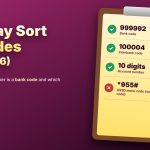
OPay appears as 999992 in many payment systems and as 100004 in the interbank list. Pick OPay by name when you can, and let the system fill in the code.
The codes at a glance
| Item | Detail |
|---|---|
| OPay legal name | OPay Digital Services Limited |
| Bank code seen in many payment systems | 999992 |
| Code seen in the interbank list | 100004 |
| Account number | 10 digits, usually your phone number without the first zero |
| USSD code (not a bank code) | *955# |
Where Nigerians meet bank codes
Payment pages
A dropdown asks for the bank. Choose OPay.
Payroll
A file may need a bank code column. Copy the code from the platform’s own list.
Suppliers
Share your account number and say the bank is OPay.
Online forms
If a free box asks for a code, check which number the platform shows beside OPay.
Send money to OPay in 4 steps
Open your bank app
Choose transfer to another bank.
Enter the account number
Type the 10 digits carefully, or copy them.
Choose OPay
Pick it from the list. The code is filled in for you.
Check the name
Confirm only when the name matches, then keep the confirmation.
A note on SWIFT
International transfers use a SWIFT code. For OPay in Nigeria, no confirmed SWIFT code is available for naira payments. Ask OPay support and the sender’s bank how to route a foreign payment.
Stay safe in Nigeria
◆ Never share your PIN or OTP, even with someone who says they work for OPay.
◆ Take bank codes only from the platform or the OPay app.
◆ Check the account name before you confirm any transfer.
In Nigeria, pick OPay by name, confirm the account name, and keep your PIN private.