How To Use The *858# PremiumTust Bank USSD Code To Transfer
Did you move your primary bank account to Premium Trust Bank recently? If yes, you’ll need to unlearn and relearn so much stuff. One of the first things to learn is how to use the Premium Trust Bank Ussd Code for transactions on your cellphone.
Using Ussd Code is nothing new. Most banks offer an option to send money, receive money, pay bills, and purchase airtime using their specified Ussd Code. Premium Trust Bank isn’t an exception.
With the introduction of Premium Trust Bank ussd code, you can always carry out banking transactions from your cellphone, even without an internet connection.
In this post, you’ll learn how to activate your Premium Trust Bank Ussd Code for seamless transactions from any mobile phone with a SIM card.
What is PREMIUM TRUST BANK USSD CODE ?
Similar to FirstBank’s Quick Banking and UBA’s Magic Banking, Premium Trust Bank brings the flexibility of USSd banking to its users through its USSD code initiative.
With the Premium Trust Bank ussd code, you can carry out most of your banking transactions on any smartphone, even without an internet connection.
Unlike most other banks that offer a USSD banking option, Premium Trust Bank gifts users many exclusive benefits for transacting with the USSD code.
While most retail accounts support USSD code, you can’t use the Premium Trust Bank Ussd Code if you hold a domiciliary account, a Premium Trust Bank Children’s Account, or any Premium account tiers.
If you don’t hold any of the accounts specified above, you can proceed below to learn how to activate your USSD code account and start using Premium Trust Bank ussd code.
How to activate the Premium Trust Bank Ussd Code
Premium Trust Bank doesn’t automatically activate the Ussd Code for all eligible users. If you intend to make transactions using the USSD code, you must manually sign up through the steps outlined below.
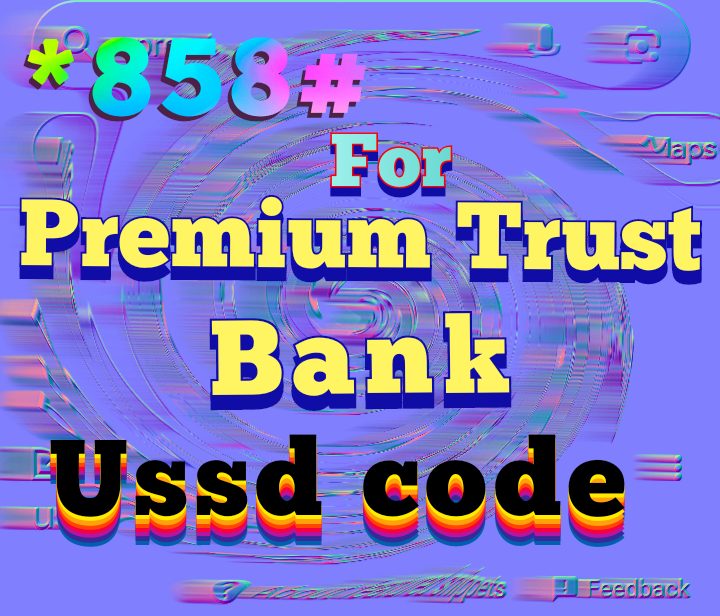
Dial *858#
*858# is The PREMIUM TRUST BANK USSD CODE , With the dialing of *858# Premium Trust Bank ussd Code Or Premium Trust Bank Transfer Code, Premium Trust Bank users gain access to a wide array of financial services right at their fingertips.
One of the primary functions of this USSD code is to facilitate mobile money transactions. Users can check their account balances, transfer funds, and even pay bills with just a few simple keystrokes. This not only saves time but also reduces the need for physical cash, promoting a safer and more secure payment ecosystem.
Dial *858# Premium Trust Bank USSD code or Premium Trust Bank Transfer Code on your mobile phoneTo initiate the USSD session. After dialing the code, a menu will appear on your screen. This menu lists various services you can access using Premium Trust Bank USSD Code or Premium Trust Bank Transfer Code. Each service will have a corresponding number. Reply with the number associated with the service you want to use.
Dialing this code will evoke a prompt warning that you’ll be shelling out a N6.98 service charge for USSD transactions on the network. If you’ve used Ussd Code from other banks, you should know that this is the industry standard.
Enter the last digits of your Premium Trust Bank debit card number
If you have an account with Premium Trust Bank, you should get to a page where you can enter the number on the debit card associated with your Premium Trust Bank account.
You only need to enter the last six digits, and you can only proceed if it matches the numbers on Premium Trust Bank records.
If you don’t have an account associated with your phone number, you’ll get a prompt with the message, accompanied by an option to create an account with Premium Trust Bank.
If you get this message despite having an account with Premium Trust Bank, you may need to contact the bank’s support to rectify the error.
Choose a PIN
After entering the numbers on your debit card, the following prompt will ask you to choose a PIN to secure your USSD transactions.
This PIN is different from the debit card PIN that you use to make ATM and debit transactions. Also, we don’t recommend entering your debit card PIN here, as it only makes your account less secure overall.
Remember,Premium Trust Bank USSD code is only as secure as your PIN. If someone can access your phone and your PIN, they can carry out any transaction without access to any other information relating to your account.
After entering a strong PIN twice, you should receive a confirmation message from Premium Trust Bank with your account summary.
Knowing that Premium Trust Bank USSD Code is *858#, If you made it to this stage without any hitches, you’ve successfully created a Premium Trust Bank ussd code account. Now, you can use the *858# Premium Trust Bank transfer code to make transactions on your account.
If you don’t know what transactions you can make through the USSD code feature on your phone, the next section will explain it in detail.
How to Transact Using Premium Trust Bank *858# ussd code
You’ve set up your Premium Trust Bank ussd code account; now what? How do you make regular banking transactions without ever downloading the Premium Trust Bank app?
This section outlines some use cases of the Premium Trust Bank ussd code and how you can carry out these transactions.
Account Opening
If you don’t have a Premium Trust Bank account already, dialing the Ussd Code will only result in a prompt to open an account.
Opening a Premium Trust Bank account through USSD code is easy and free, and you can get an account number without doing any paperwork.
If you want a debit card, however, you may have to visit a Premium Trust Bank branch. Your phone can’t print out a card, you know?
Airtime Purchase
If you purchase airtime quite frequently, you should always do it using the Premium Trust Bank ussd code.
To buy airtime using the Premium Trust Bank transfer ussd code, dial *858# follow up to the step that will lead you to the amount you want and enter your PIN to authorize the transaction.
The first 7797 Premium Trust Bank customers to purchase airtime using the Premium Trust Bank ussd code ” will get twice the recharge amount if it is N500 or more, but not more than N1,000.
Money Transfer
Money transfer is the most popular feature of ussd code. It allows you to transfer money to anyone with a bank account regardless of the bank.
You can make a transfer by dialing *858# and follow up the steps and then you can put amount you want to transfer. finally You will have to enter your PIN to authorize the transaction.
Apart from transferring money and purchasing airtime, you can also update your BVN, make cardless withdrawals, retrieve your card PIN and even block your debit card using the Premium Trust Bank ussd code.
More Bank Transfer ussd Codes
Keystone Bank Transfer Code
Sterling Bank Transfer Code
GTBank Transfer Code
Ecobank Transfer Code
UBA Transfer Code
Wema Bank Transfer Code
Heritage Bank Transfer Code
Stanbic Ussd Code
Unity Bank Transfer Code
Polaris Bank Transfer Code
First Bank Transfer Code
Union Bank Transfer Code
Fidelity Bank Transfer Code
Zenith Bank Transfer Code
Fcmb Ussd Code
Access bank Ussd Code
Diamond bank Ussd Code
Globus Bank Ussd Code
Accion MfB Ussd Code
lotus bank transfer code
jaiz bank transfer ussd code
opay ussd code
standard chartered bank Ussd Code
palmpay ussd code
suntrust bank ussd code
paylater ussd code
hope bank transfer code
moniepoint ussd code
alat Ussd code
payattitude ussd code
Optimus Bank Ussd code
Titan trust Ussd code
rubies bank Ussd code
Conclusion
Premium Trust Bank ussd code makes transactions easy. Banking activities that require human presence at a bank branch are now possible from a cellphone without an internet connection.
However, you should note some of the charges and limits associated with this service.
For example, you shell out a N6.98 service charge for every transaction, and you can’t purchase airtime of over N3,000 in 24 hours.
Most people will agree that the advantages of the service eclipse these charges and limits, making USSD code is a welcome initiative.