NOVA Bank USSD Code And NOVA Bank Transfer Code
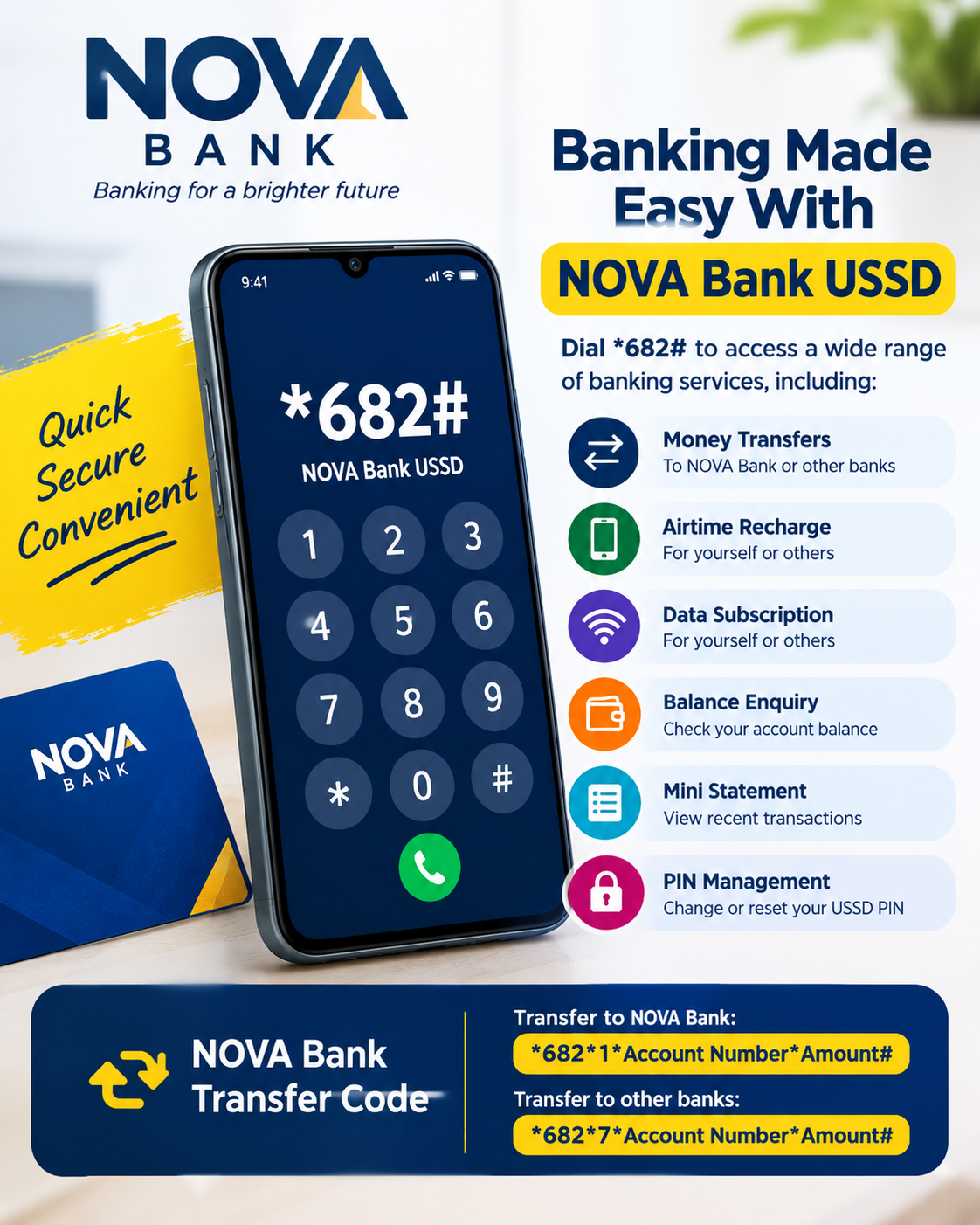
NOVA Bank customers can access a range of banking services from their mobile phones using the NOVA Bank USSD code, *682#. The service provides a convenient way to carry out everyday banking transactions without opening a mobile banking application. Customers can use the USSD service to transfer money, check their account balance, buy airtime and data, view a mini statement, and manage their USSD transaction PIN.
The NOVA Bank USSD service is available through the shortcode *682#. Because USSD works through the mobile network, customers can access the service without needing mobile data or a Wi-Fi connection. This makes it useful when internet access is unavailable or when a customer simply wants to complete a quick transaction from the phone.
What Is The NOVA Bank USSD Code?
The official NOVA Bank USSD code is *682#. Dialling this code from the mobile phone connected to your NOVA Bank account opens the bank’s USSD service menu. From there, you can select the banking service you need and follow the instructions displayed on your screen.
NOVA Bank introduced the *682# service to make banking more accessible to customers. The service supports several everyday transactions, including money transfers, airtime purchases, data subscriptions, balance enquiries and mini statements.
If you are already a NOVA Bank customer and want to start using the service, dial *682# and follow the registration instructions provided by the bank.
NOVA Bank USSD Codes And Their Functions
| Banking Service | NOVA Bank USSD Code |
|---|---|
| USSD banking menu | *682# |
| Transfer to NOVA Bank account | *682*1*Account Number*Amount# |
| Transfer to other banks | *682*7*Account Number*Amount# |
| Airtime for self | *682*Amount# |
| Airtime for another person | *682*Phone Number*Amount# |
| Data for self | *682*2# |
| Data for another person | *682*2*Phone Number# |
| Check account balance | *682*3# |
| Mini statement | *682*14# |
| Reset or change USSD PIN | *682*6# |
NOVA Bank Transfer Code
The NOVA Bank transfer code allows customers to send money directly from their accounts through USSD. The code you use depends on whether the recipient has a NOVA Bank account or an account with another bank.
To transfer money to another NOVA Bank account, dial:
*682*1*Account Number*Amount#
Replace Account Number with the recipient’s NOVA Bank account number and replace Amount with the amount you want to send. Check the transaction details carefully before authorising the payment.
For a transfer to an account with another bank, dial:
*682*7*Account Number*Amount#
You may be required to select the recipient’s bank and confirm the transaction before it is completed. Always verify the account name and other transaction details shown on your phone before entering your PIN.
How To Transfer Money With NOVA Bank USSD
Using the NOVA Bank USSD transfer service is straightforward once your USSD banking profile has been activated. Start by using the phone number linked to your NOVA Bank account and dial the appropriate transfer code.
For a NOVA Bank-to-NOVA Bank transfer, use *682*1*Account Number*Amount#. For transfers to other Nigerian banks, use *682*7*Account Number*Amount#.
After entering the required information, carefully review the recipient’s details. If everything is correct, follow the instructions displayed by the USSD service to authorise the transaction with your USSD transaction PIN.
Never share your transaction PIN with another person. If someone asks for your PIN while claiming to be a bank representative, do not provide it.
How To Check NOVA Bank Account Balance
If you want to know how much money is available in your NOVA Bank account, you can use the balance enquiry shortcode without opening the mobile banking app.
Dial:
*682*3#
Follow the instructions displayed on your phone to complete the balance enquiry. The balance service can be useful before making a transfer, buying airtime or carrying out another transaction.
NOVA Bank Airtime Recharge Code
NOVA Bank customers can purchase airtime directly from their accounts using USSD. The service supports airtime purchases for both the account holder and another person’s phone number.
To buy airtime for yourself, dial:
*682*Amount#
Replace Amount with the value of airtime you want to purchase.
If you want to buy airtime for someone else, use:
*682*Phone Number*Amount#
Make sure the recipient’s phone number is correct before confirming the transaction. Once an airtime purchase has been completed for the wrong number, recovering the money or airtime may not be straightforward.
NOVA Bank Data Subscription Code
You can also use the NOVA Bank USSD service to purchase mobile data. To access the data subscription option for yourself, dial:
*682*2#
To purchase data for another person, the published shortcut is:
*682*2*Phone Number#
After selecting the appropriate option, follow the prompts on your phone to choose the available data package and complete the purchase.
How To Get NOVA Bank Mini Statement
NOVA Bank provides a mini statement option through its USSD service. This allows customers to review recent account activity without necessarily signing into the mobile banking application.
To access the mini statement service, dial:
*682*14#
Follow the instructions displayed on the screen. A mini statement can be useful when you want to check recent transactions or confirm activity on your account.
How To Change NOVA Bank USSD PIN
Your USSD transaction PIN is used to authorise certain transactions, so it should be kept confidential. NOVA Bank provides a USSD option for customers who need to reset or change their USSD PIN.
Dial:
*682*6#
Follow the instructions provided by the service to complete the PIN change or reset process. Choose a PIN that other people cannot easily guess and avoid sharing it with anyone.
How To Activate NOVA Bank USSD Banking
Customers who have not previously activated NOVA Bank USSD banking can begin the process by dialling *682#.
The activation process provided by NOVA Bank starts with dialling the shortcode and selecting the option to proceed. Existing customers can then indicate that they already have an account and continue with the registration process. Customers registering without a card may be asked to provide their digital channel transaction PIN before creating a four-digit USSD transaction PIN.
Once registration has been completed, you can dial *682# whenever you want to access the available USSD banking services.
Can I Open A NOVA Bank Account With USSD?
Yes. NOVA Bank provides account-opening access through its USSD service. Customers can dial *682# and follow the available account-opening instructions.
The bank also provides account-opening options through its digital banking channels. The NOVA Classic Savings Account, for example, can be opened through *682# or the NOVA Bank mobile application.
The requirements for opening an account can vary depending on the account type and applicable customer identification requirements. Customers should follow the instructions provided by NOVA Bank during the account-opening process.
Does NOVA Bank USSD Work Without Internet?
Yes. USSD banking is designed to operate through a mobile network rather than an internet connection. This means you do not normally need mobile data or Wi-Fi to dial *682#.
You will, however, need mobile network coverage for the USSD session to connect successfully. If the service does not respond, check your network connection and try again.
NOVA Bank USSD Transfer Limits
Transaction limits can depend on the type and tier of your NOVA Bank account. For example, NOVA Bank’s current information for its Classic Savings Account lists different limits for Tier 1 and Tier 2 accounts.
The bank currently lists a maximum account balance of ₦300,000 and a daily single-transfer limit of ₦50,000 for Tier 1. For Tier 2, the listed maximum account balance is ₦500,000 with a daily single-transfer limit of ₦100,000.
Because account limits can depend on account type and applicable banking rules, customers should rely on the transaction information displayed during a transaction and the latest information provided by NOVA Bank.
What To Do If NOVA Bank USSD Is Not Working
If *682# is not working on your phone, first make sure you are dialling the code from the mobile number associated with your NOVA Bank account. You should also check that your phone has adequate network coverage.
If the problem continues, wait a short while and try again. USSD services can occasionally experience temporary network or service interruptions.
For unresolved problems, contact NOVA Bank through its official customer support channels. The bank currently lists +234 913 666 6680 and 02 01 280 4000 as contact numbers.
Safety Tips When Using NOVA Bank USSD
USSD banking makes transactions convenient, but customers should still take precautions when using the service. Always check the recipient’s account details before approving a transfer, especially when sending money to another bank.
Keep your USSD transaction PIN private and do not give it to friends, family members, callers or anyone claiming to be a bank employee. NOVA Bank also warns customers against providing sensitive banking information to fraudulent websites or individuals.
If you believe your banking credentials have been compromised, contact NOVA Bank through an official channel rather than relying on a number supplied by an unknown person.
Frequently Asked Questions About NOVA Bank USSD Code
What is the NOVA Bank USSD code?
The NOVA Bank USSD code is *682#. It provides access to several banking services from a mobile phone.
What is the NOVA Bank transfer code?
To transfer money to another NOVA Bank account, use *682*1*Account Number*Amount#. For transfers to other banks, use *682*7*Account Number*Amount#.
How do I check my NOVA Bank account balance?
Dial *682*3# and follow the instructions displayed on your phone.
How do I buy airtime with NOVA Bank?
For airtime on your own number, dial *682*Amount#. To buy airtime for another person, use *682*Phone Number*Amount#.
How do I buy data with NOVA Bank USSD?
Dial *682*2# for the data service. To buy data for another person, use *682*2*Phone Number#.
How do I view my NOVA Bank mini statement?
Dial *682*14# to access the mini statement option.
How do I change my NOVA Bank USSD PIN?
Dial *682*6# and follow the instructions provided to reset or change your USSD transaction PIN.
Can I use NOVA Bank USSD without mobile data?
Yes. The *682# service is a USSD service and does not require an internet connection. You only need a compatible phone and mobile network service.
Can I open a NOVA Bank account with USSD?
Yes. NOVA Bank provides account-opening access through its *682# USSD service.
Final Thoughts
The NOVA Bank USSD code gives customers a simple way to access important banking services from their phones. With *682#, customers can access the main USSD menu and use shortcuts for transfers, airtime, data, balance enquiries, mini statements and PIN management.
If you are a NOVA Bank customer, save *682# on your phone so that you can quickly access the service whenever you need it. Before completing any financial transaction, always verify the details displayed on your screen and keep your transaction PIN confidential.