Wema Bank Internet Banking: Login, Registration & Guide
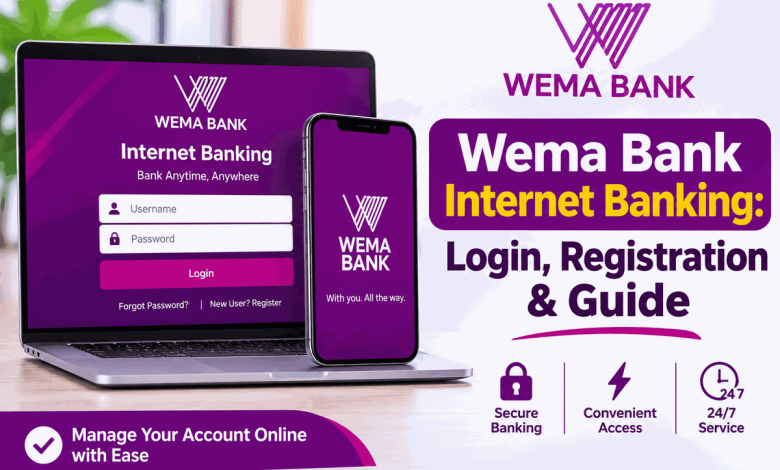
Wema Bank Internet Banking allows customers to access banking services without visiting a physical branch. Through its digital banking platform, customers can manage their accounts, make payments, check account information and carry out several transactions online. This makes everyday banking more convenient for people who want to manage their finances from home, work or while travelling.
Wema Bank provides digital banking services through its internet banking platform and ALAT by Wema. Whether you want to access your account online for the first time or resolve a login problem, understanding the available services and security procedures can help you use the platform more confidently.
What Is Wema Bank Internet Banking?
Wema Bank Internet Banking is an electronic banking service that allows customers to manage their bank accounts through an internet-connected device. Instead of visiting a branch for every banking request, eligible customers can use the bank’s online channels to perform supported transactions.
The bank describes its internet banking service as a convenient way to access accounts, manage payments and check statements. It is designed to provide customers with access to banking services from different locations.
Wema Bank also operates ALAT, its digital banking brand. Customers should use the official Wema Bank website to identify the correct online banking channel and avoid unofficial login pages.
Official Wema Bank Internet Banking Website
To find Wema Bank’s internet banking service, visit the official website and navigate to the personal banking or e-banking section.
Always confirm that you are using an official Wema Bank website before entering your username, password, account details or other security information. Do not use login links sent by unknown people.
How to Log In to Wema Bank Internet Banking
If you already have the required internet banking access details, follow these general steps:
- Open the official Wema Bank website.
- Navigate to the personal banking or e-banking section.
- Select the appropriate internet banking access option provided by the bank.
- Enter the login details associated with your banking profile.
- Complete any additional security verification requested by the platform.
- After successful authentication, access the banking services available to your account.
The exact login procedure and verification requirements may depend on the banking channel and your account profile. Follow the instructions displayed on the official platform.
How to Register for Wema Bank Internet Banking
Customers who have not previously activated internet banking may need to complete an enrolment or activation process before accessing the service.
To get started, visit a Wema Bank branch or contact Purple Connect using the bank’s official customer care channels. Ask for guidance on activating internet banking and the requirements applicable to your account.
You may be asked to provide information to confirm your identity and account ownership. The bank will communicate the appropriate registration procedure and any additional requirements.
Do not pay an unknown individual to activate your internet banking account. Use only the bank’s verified channels.
Features of Wema Bank Internet Banking
Wema Bank’s digital banking services are designed to make account management and financial transactions more convenient.
1. Account Management
Internet banking provides access to account-related services. Customers can use the available features to manage their banking activities without always visiting a branch.
2. Funds Transfers
Digital banking channels support convenient electronic payments and transfers. The available transfer options and transaction limits depend on the service and the customer’s account permissions.
3. Bill Payments
Customers can use supported digital banking services to make payments for eligible bills and services. Check the platform for the payment categories currently available.
4. Account Statements
The bank’s e-banking service provides access to account information and statements. This can help customers review transactions and keep track of their financial activities.
5. Convenient Banking Access
Internet banking makes it possible to access supported banking services from home, the office or while travelling, provided there is a reliable internet connection.
Wema Bank Internet Banking for Individuals
Personal customers can use Wema Bank’s digital banking services to manage everyday financial activities. Depending on the service activated, customers may be able to check account information, make transfers, manage payments and access other banking functions.
Customers should confirm which services are available through their particular internet banking profile. Some functions may be available through ALAT or other Wema Bank digital channels rather than every online banking interface.
What Is ALAT by Wema?
ALAT is Wema Bank’s digital banking brand. It provides customers with access to digital financial services through supported online and mobile channels.
ALAT is part of Wema Bank’s digital banking offering and should not be confused with unofficial applications or websites claiming to represent the bank.
For information about ALAT and other digital banking services, begin with the official Wema Bank website.
Wema Bank Internet Banking on Mobile Phones
You do not necessarily need a desktop computer to manage your banking activities online. Wema Bank provides digital banking options that customers can access using supported mobile devices.
Customers who prefer mobile banking can explore ALAT by Wema and the bank’s other official digital channels. Use the appropriate official app store listing or a link provided directly through Wema Bank’s website when downloading an application.
Keep your phone’s operating system and banking application updated. Avoid installing banking applications from unknown websites or files shared through messaging platforms.
Difference Between Wema Internet Banking and ALAT
Wema Bank Internet Banking refers to accessing banking services through an online banking channel, while ALAT is the bank’s digital banking brand.
| Feature | Internet Banking | ALAT |
|---|---|---|
| Meaning | Online access to banking services | Wema’s digital banking brand |
| Access | Through the bank’s supported online channel | Through supported ALAT digital channels |
| Purpose | Online account and transaction management | Digital banking services |
What to Do If Wema Bank Internet Banking Is Not Working
Sometimes customers may experience problems accessing their accounts online. These issues can result from incorrect login details, internet connection problems, temporary service interruptions or security restrictions.
Try the following troubleshooting steps:
- Check that your phone or computer has a stable internet connection.
- Confirm that you are visiting the correct Wema Bank website.
- Carefully re-enter your login details.
- Check whether your browser needs an update.
- Close the browser and try again after a short period.
- Contact Wema Bank if the problem continues.
Do not repeatedly guess your password if the platform reports an authentication problem. Contact the bank for assistance if you are unsure whether your access has been restricted.
How to Recover Wema Bank Internet Banking Login Details
If you forget your password or cannot remember your login information, use the recovery instructions provided on the official banking platform.
If the available recovery option does not work, contact Purple Connect or visit a Wema Bank branch. The bank may need to verify your identity before restoring access.
Never send your password, PIN or OTP to someone claiming to recover your account for you.
Wema Bank Internet Banking Security Tips
Protecting your login information is essential whenever you use online banking. Fraudsters may impersonate bank employees or create fake websites to steal customer information.
- Never disclose your internet banking password to another person.
- Do not share your ATM PIN or OTP.
- Check the website address before entering your login details.
- Avoid opening suspicious banking links sent through SMS, email or social media.
- Do not access your account through public or untrusted computers.
- Keep your mobile phone and computer software updated.
- Log out after completing your banking activities, especially on shared devices.
- Contact Wema Bank immediately if you suspect unauthorised access.
Wema Bank’s security guidance warns customers against sharing sensitive information and advises them to use official support channels when they suspect their account details have been compromised.
How to Contact Wema Bank for Internet Banking Assistance
If you cannot log in, need help activating internet banking or have a question about an online transaction, contact Wema Bank through Purple Connect.
Wema Bank Purple Connect
Phone: 0803 900 3700
Additional phone line: 01 277 7700-9
Short number: 07000PURPLE (07000787753)
Email: [email protected]
WhatsApp: 09044411010
Contact centre: 24 hours, according to the bank’s official contact page.
Frequently Asked Questions About Wema Bank Internet Banking
1. How do I access Wema Bank Internet Banking?
Visit the official Wema Bank website and navigate to its personal banking or e-banking section. Follow the available instructions to access the appropriate online banking channel.
2. Can I use Wema Bank Internet Banking on my phone?
Yes. Wema Bank offers digital banking services that can be accessed through supported mobile devices. Customers can also explore ALAT by Wema.
3. Is Wema Bank Internet Banking available 24 hours?
Wema Bank describes its e-banking service as providing access to supported banking services 24 hours a day. Individual transactions may still be affected by maintenance or service interruptions.
4. What should I do if I forget my internet banking password?
Use the recovery instructions on the official banking platform or contact Purple Connect for assistance with restoring access.
5. Can I transfer money through Wema Bank Internet Banking?
Wema Bank’s digital banking services support electronic payments and transfers. Available transaction types and limits depend on the channel and account permissions.
6. How can I contact Wema Bank Internet Banking support?
Call 0803 900 3700, 01 277 7700-9 or 07000787753. You can also email [email protected].
Conclusion
Wema Bank Internet Banking provides customers with a convenient way to access supported banking services online. Customers can use the bank’s digital channels to manage account information, payments and other financial activities without always visiting a branch.
For secure access, always use the official Wema Bank website and protect your login credentials. If you experience registration, login or transaction problems, contact Purple Connect through the verified customer care channels provided above.