FCMB USSD Code and FCMB Transfer Code
FCMB customers can perform many everyday banking transactions directly from their mobile phones using the FCMB USSD code *329#. The service allows customers to transfer money, check their account balance, buy airtime and data, pay bills and access other banking services without needing mobile internet.
The FCMB transfer code is also based on *329#. For a faster transfer, FCMB provides the shortcut *329*Amount*Account Number#. This allows you to send money from your FCMB account to another bank account without opening the FCMB mobile app or visiting an ATM.
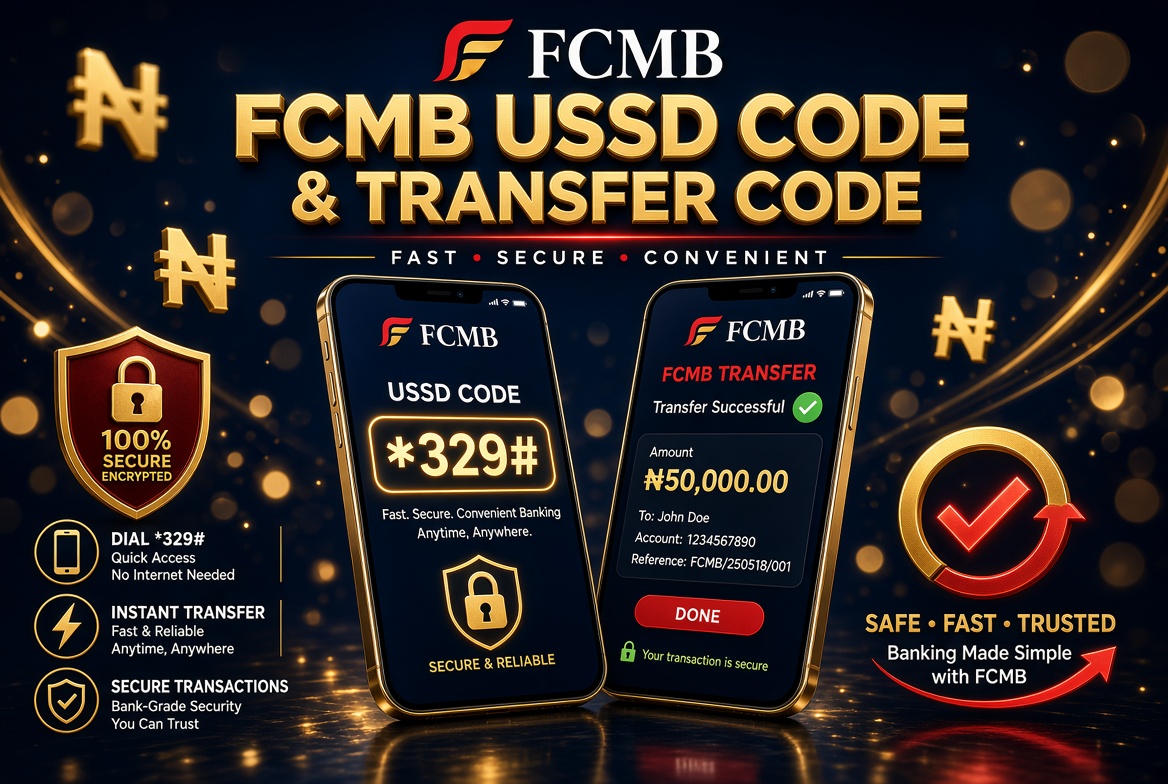
FCMB USSD Code
The official FCMB USSD banking code is *329#. Dial the code from the mobile number registered with your FCMB account to access the FCMB USSD banking menu.
FCMB USSD banking is particularly useful when you do not have access to mobile data. Since USSD works through a mobile network connection, customers can use the service on smartphones and basic mobile phones.
After dialing *329#, follow the options displayed on your phone screen. Depending on the service selected, you may be asked to enter your account details, recipient information, transaction code or other authentication information.
FCMB Transfer Code
The FCMB transfer code is *329*Amount*Account Number#. It is the direct USSD format for initiating a money transfer from an FCMB account.
For example, if you want to transfer ₦10,000, you enter the amount and recipient’s account number in the appropriate format. The USSD session will then guide you through the remaining steps, including selecting or confirming the recipient’s bank.
Before authorising a transfer, carefully check the recipient’s account number, bank and name displayed on the screen. This is important because an incorrect account number can result in money being sent to the wrong person.
FCMB USSD Codes for Different Transactions
| Transaction | FCMB USSD Code |
|---|---|
| FCMB USSD Banking | *329# |
| Transfer Money | *329*Amount*Account Number# |
| Check Account Balance | *329*00# |
| Buy Airtime for Yourself | *329*Amount# |
| Buy Airtime for Another Number | *329*Amount*Mobile Number# |
| Buy Data | *329*1*Mobile Number# |
| Create or Reset Transaction Code | *329*0# |
| Electricity Payment | *329*3*Amount*Meter Number# |
| Block USSD Profile or Account | *329*911# |
How to Transfer Money with FCMB USSD Code
FCMB customers can transfer money using the main USSD menu or the direct transfer shortcut. The direct format is useful when you already know the recipient’s account number.
- Dial *329# using the mobile number linked to your FCMB account.
- Select the transfer option from the USSD menu.
- Enter the recipient’s account number.
- Select the recipient’s bank when requested.
- Enter the amount you want to transfer.
- Review the recipient’s account name and transaction details.
- Enter the required transaction authorisation details.
- Wait for the confirmation message.
You can also use the direct format *329*Amount*Account Number# where applicable. For example, the amount can be replaced with 10000 when sending ₦10,000.
Do not confirm the transaction until the recipient information displayed by the service has been checked carefully.
How to Transfer Money from FCMB to Another Bank
The FCMB USSD service can be used to transfer money to accounts held with other Nigerian banks. Start by dialing *329# or use the appropriate direct transfer shortcut.
When making an interbank transfer, you will normally need the recipient’s account number and the name of the recipient’s bank. The USSD service will provide instructions for selecting the destination bank.
After the account details are entered, FCMB may display the recipient’s account name for confirmation. Check this information before completing the transaction.
If the details are correct, proceed with the transaction authorisation requested by the service. A confirmation message should be displayed after the transfer has been processed.
How to Check FCMB Account Balance
To check your FCMB account balance through USSD, dial *329*00# from the mobile number linked to your account.
You can also dial *329# and select the balance enquiry option from the menu. This provides a convenient alternative to visiting an ATM or logging into the FCMB mobile banking application.
USSD balance enquiries can be useful when you need to confirm how much money is available in your account before making a transfer, paying a bill or purchasing airtime.
How to Buy Airtime with FCMB USSD Code
FCMB customers can purchase airtime directly from their bank account using the USSD service. To buy airtime for yourself, use *329*Amount#.
Replace the amount with the value of airtime you want to purchase. For example, if you want ₦1,000 airtime, enter 1000 as the amount in the USSD format.
FCMB also provides an option for purchasing airtime for another mobile number. The format is *329*Amount*Mobile Number#.
Before confirming an airtime transaction for another person, verify the mobile number carefully. A wrong number can result in the airtime being sent to an unintended recipient.
How to Buy Data with FCMB USSD
FCMB USSD banking can also be used to purchase mobile data. The bank lists *329*1*Mobile Number# for accessing the data purchase service.
You can also dial *329# and select the data option displayed in the menu. Follow the instructions on the screen to select the appropriate data package and complete the payment.
This service can be particularly useful when your mobile data has finished and you need to purchase another bundle before accessing internet-based services.
How to Create an FCMB Transaction Code
An FCMB transaction code is used to authorise applicable USSD transactions. If you need to create or reset your transaction code, dial *329*0# and follow the instructions displayed.
The registration or reset process may require information associated with your FCMB account and ATM card. Follow the instructions provided during the USSD session rather than sharing your banking information with another person.
Keep your transaction code private. It should not be given to friends, agents, callers or anyone claiming to need it to help you complete a transaction.
FCMB USSD Transaction Limit
FCMB provides transaction limits for its USSD banking service. The applicable limit can depend on the type of transaction, account status and authentication method being used.
FCMB’s published USSD information states that a transaction code is required for applicable transfers up to its stated daily limit. Customers should follow the current instructions displayed by FCMB because transaction limits and security requirements can change.
If a transfer is rejected because of a transaction limit, check the message provided by FCMB and consider using another approved FCMB banking channel where necessary.
How to Pay Bills with FCMB USSD
FCMB USSD banking supports selected bill-payment services. Electricity payments, for example, can be initiated using the relevant FCMB USSD option.
FCMB lists *329*3*Amount*Meter Number# or the applicable account ID format for electricity payments. The exact information required can depend on the electricity provider and the type of customer account.
For other bill payments, dial *329# and select the appropriate bill-payment option. Follow the instructions displayed during the session and carefully check the details before confirming payment.
How to Block FCMB USSD Banking
If your phone is lost or you believe that someone may have access to your banking profile, FCMB provides a USSD blocking option.
The FCMB blocking code is *329*911#. FCMB states that the code can be dialled from either a registered or unregistered number for the purpose of blocking the USSD profile or account.
Taking quick action after losing your phone or SIM can help reduce the risk of unauthorised access. You should also contact FCMB through its official customer-support channels when necessary.
Does FCMB USSD Require Internet Data?
No. FCMB USSD banking is designed to work without mobile internet data. This is one of the main advantages of using USSD instead of an internet-based banking application.
You only need a compatible mobile phone, an active mobile network connection and the mobile number associated with your FCMB banking profile for the relevant services.
Although mobile data is not required, the USSD service can still be affected by poor network coverage. If the request does not go through, wait briefly and try again or use the main *329# menu.
What You Need to Use FCMB USSD Banking
To use FCMB USSD banking, customers should have access to the mobile number linked to their FCMB account. You should also have the required authentication details for the transaction you want to perform.
For money transfers, ensure that you have enough money in your account to cover the transfer and any applicable charges. You should also have the correct recipient account number and bank name available before starting the transaction.
Why Is My FCMB USSD Code Not Working?
There are several reasons why an FCMB USSD request may fail. The most common reason can be an unstable mobile network connection. USSD sessions depend on communication between your phone and the mobile network.
Another possible reason is that the mobile number being used is not properly linked to your FCMB account. Incorrect PIN or transaction-code information can also prevent a transaction from being completed.
Other possible causes include insufficient funds, account restrictions, an incorrect recipient account number, temporary service interruptions or a problem with the mobile network.
If a direct shortcut does not work, dial *329# and use the main menu. The main menu can help you identify the current options available on the FCMB USSD service.
FCMB USSD Security Tips
Security is important whenever you use mobile banking. Never disclose your FCMB PIN, transaction code, ATM PIN, card details or other confidential banking credentials to another person.
FCMB customers should also be careful with unsolicited phone calls and messages. A person claiming to be a bank employee should not need your confidential PIN or transaction code to help you with a normal banking request.
Before completing a transfer, check the recipient’s account number, bank and displayed account name. If any information is incorrect, cancel the transaction and start again.
If your phone or SIM card is lost, take immediate steps to protect your banking profile. You can use the applicable FCMB blocking service and contact the bank through its official channels.
FCMB USSD Code Frequently Asked Questions
What is the FCMB USSD code?
The official FCMB USSD banking code is *329#. It provides access to several banking services without requiring mobile internet.
What is the FCMB transfer code?
The FCMB direct transfer code is *329*Amount*Account Number#. Customers can also dial *329# and select the transfer option from the USSD menu.
How do I transfer money from FCMB to another bank?
Dial *329#, select the transfer option and follow the instructions. You will need the recipient’s account number and bank details. FCMB may display the recipient’s name before you authorise the transaction.
How do I check my FCMB account balance?
Dial *329*00# to check your FCMB account balance. You can also access the balance option by dialing *329#.
How do I create or reset my FCMB transaction code?
Dial *329*0# and follow the instructions displayed on your phone to create or reset the transaction code.
Can I use FCMB USSD without data?
Yes. FCMB USSD banking is designed to work without mobile internet data. You need an active mobile network connection to start and complete a USSD session.
How do I buy airtime with FCMB?
To buy airtime for yourself, dial *329*Amount#. To purchase airtime for another mobile number, use *329*Amount*Mobile Number#.
How do I buy data with FCMB USSD?
Dial *329*1*Mobile Number# or use the data option available after dialing *329#. Follow the instructions to select and pay for the required data bundle.
How do I block my FCMB USSD profile?
FCMB lists *329*911# as the code for blocking the USSD profile or account. The bank states that the code can be dialled from either a registered or unregistered number.
Can I use FCMB USSD on a basic phone?
Yes. USSD banking does not require a smartphone or mobile data. A compatible basic phone with an active network connection can access the service.
Final Thoughts
The FCMB USSD code *329# provides a convenient way for customers to access important banking services directly from their mobile phones. It can be used for transfers, balance enquiries, airtime purchases, data purchases, bill payments and other available banking services.
The FCMB transfer code, *329*Amount*Account Number#, provides a faster way to initiate a transfer when you already have the recipient’s account details. Customers should always verify the recipient information before authorising a transaction.
Because USSD menus, transaction limits and banking requirements can change, the safest approach is to follow the instructions displayed by FCMB during the current USSD session. Keep your PIN and transaction code confidential and never provide them to another person.