Absa USSD Code *233# Uganda: Complete Guide to Absa Hello Money (2026)
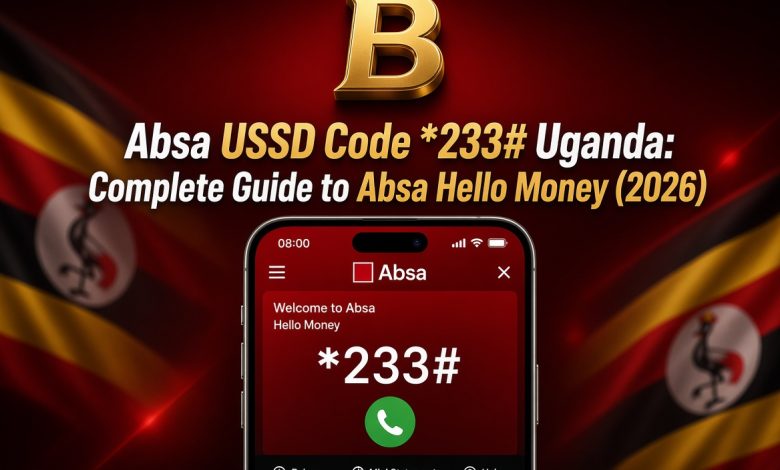
If you bank with Absa Uganda and your phone has no data, you can still check balances, pay bills, send money and even borrow. Dial *233# and Hello Money opens a menu that works on every phone, from the smallest handset to the newest smartphone.
Below you will find what the service offers, how to register, how to use each part of the menu, how it works with MTN Mobile Money and Airtel Money, and how to stay safe. Read it once, then keep it handy for the day you need it.
What Is the Absa USSD Code in Uganda?
*233# is the Absa Uganda USSD code. When you dial it, the bank answers with a text menu on your screen. You choose an option by typing its number, and the next screen appears. Because the menu travels over the phone network and not over the internet, you never spend data on it.
Absa calls this service Hello Money. It is protected with a PIN and data encryption, the menus are easy to follow, and it is compatible with all phone brands. It also gives you access to waived transaction fees on selected activity, so it is worth reading your statement to see how each transaction was charged.
Everything You Can Do on Hello Money
- View your account balances
- Get mini statements and see recent transactions
- Pay bills, including electricity
- Transfer money between Absa accounts
- Move money to and from MTN Mobile Money and Airtel Money
- Buy airtime
- Send cash with CashSend, even to a person without an account
- Apply for an Absa Digi Loan from the same menu
That list covers most of what people visit a branch for, and every item can be done from the phone in your hand.
Before You Register
The easiest way to register is with your Absa debit card, so keep it close. You also need the phone number you want to use for banking and your account details. If you do not have a debit card, visit your nearest Absa branch to sign up for Hello Money in person.
How to Register for Hello Money
How to Request a Mini Statement
How to Transfer Money from Absa to Absa
Moving money between your own accounts is quick, and sending to another Absa customer follows the same path with one extra step.
Using Hello Money with MTN Mobile Money and Airtel Money
Hello Money connects your bank account to your mobile wallet in both directions, which is helpful in a country where so much money moves through wallets.
From your bank account to your wallet
From your wallet to your bank account
Dial *185# on Airtel or *165# on MTN, open Financial services, then select the option to send money to a bank account. Keep pressing next until you reach Absa, then choose the bank account linked to your phone number on Hello Money. Enter the amount and confirm.
Paying Bills and Buying Electricity
After you sign in, select option 2, Pay bills. For a provider you have not paid before, register it first by choosing the biller and entering your account or meter number. Once the biller is saved, future payments need only the biller name, the amount and your PIN. Airtime top-ups sit in the same menu, and you can top up your own number or someone else’s.
CashSend: Send Money to Anyone in Uganda
CashSend lets you send money to a person who has no Absa account. You start it from Hello Money, enter the amount and the recipient’s phone number, and confirm. The recipient receives a message saying the money is ready, along with a unique 8-digit voucher number. They walk to an Absa ATM, select the cardless services option, enter the details and collect the cash.
Absa customers can also send a voucher directly from an ATM by choosing More Services, then Money Voucher, then entering the amount. For safety, send the PIN to the recipient separately from the voucher message.
Absa Digi Loan on *233#
Absa Uganda lets eligible account holders request a Digi Loan without visiting a branch. The loan is available on the mobile app, internet banking and Hello Money.
Before you accept any loan, read the repayment amount and the date it falls due. Borrow only what you can repay on time.
Why Hello Money Suits Uganda
Many Ugandans do their banking in short bursts: a quick balance check between errands, a bill payment on the way home, a transfer to a relative upcountry. Hello Money is built for exactly that rhythm. There is no app to download, no password to forget on a website and no data bundle to top up first. You dial, enter your PIN, choose the service and finish in under a minute. It also works when the network is slow, because USSD sessions are light and need very little signal.
For families, the wallet link matters most. Money often arrives on mobile money, while rent, school fees and utility bills are paid from a bank account. Hello Money lets you move funds between the two without leaving the dialler.
Tips for Faster Transactions
- Register your regular billers once, so later payments take only a few taps
- Save your beneficiaries as soon as you trust them, then reuse them
- Keep a note of your account number in your phone, so you can type it accurately
- Check your mini statement after a transfer to confirm that it went through
- Dial from a place with steady signal, because a dropped session means starting again
When to Use the Branch Instead
Hello Money handles daily banking, but some tasks still need a visit, such as registering without a debit card or resolving an account problem that needs documents. When that happens, carry your national ID and your account details so the staff can help you quickly, and ask them to confirm your Hello Money registration before you leave.
Keep Your Money Safe
- Never share your PIN, not even with someone who says they are from the bank
- Dial *233# yourself and avoid following instructions from callers or messages
- Check the number and amount on the confirmation screen before pressing 1
- Change your PIN regularly and immediately if someone may have seen it
- If your phone or SIM is lost, contact Absa at once so your access can be blocked
If Something Goes Wrong
- No response after dialling: check your signal and try again after a minute
- PIN rejected: avoid repeated wrong attempts and use the PIN reset option or contact the bank
- Wallet transfer not showing: wait for the confirmation message, then check your mobile money balance and your mini statement
- Menu numbers differ from this guide: follow the labels, because the bank can update the numbering
Absa Uganda support is available on +256 (0) 312 218 348, and network charges apply to that call. You can also write to [email protected].