Absa USSD Code *224# Kenya: Complete Guide to Absa Hello Money (2026)
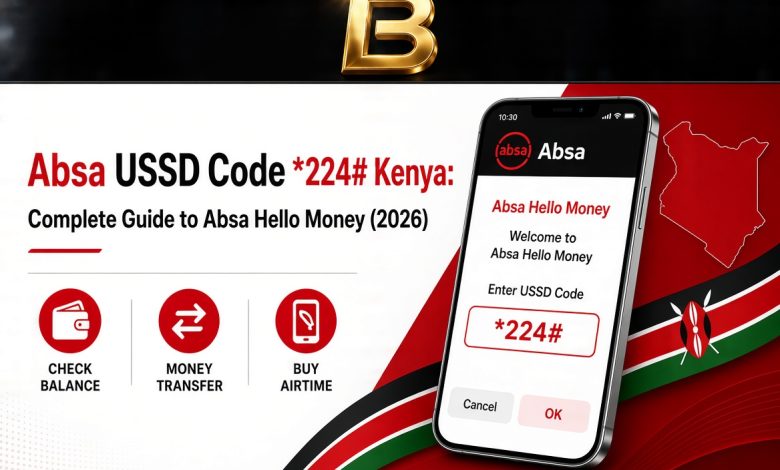
Absa customers in Kenya can run their accounts from a basic phone with no data bundle and no Wi-Fi. One short code opens the whole menu, and that code is *224#. The service behind it is called Hello Money, and it is the quickest way to bank when your network is weak, your bundles have run out or you left your smartphone at home.
This guide explains what Hello Money does, how to register on your own, how to move through the menu, how to send money and pay bills, and how to keep your account safe. Every step is written the way it appears on the screen, so you can follow along with the phone in your hand.
What Is the Absa USSD Code in Kenya?
USSD is a menu system that runs through your mobile network instead of the internet. When you dial *224#, a menu opens on your screen, you reply with a number, and the next menu appears. Nothing is installed on your phone and no data is used, which is why it works on the simplest handset as well as on a smartphone.
Absa Kenya built Hello Money on this technology so that every customer can reach their account, whatever phone they carry and wherever they are. The service is protected by a PIN, and every transaction asks for it. Absa also waives transaction fees on selected Hello Money activity, so it is a good habit to look at your own statement and see what each transaction actually cost you.
What You Can Do on *224#
Hello Money covers the everyday jobs that most people would otherwise visit a branch or an ATM for. Here is the picture at a glance.
| Task | Where to find it on the menu |
|---|---|
| Check a mini statement | Bank Services, then Account services, then Mini Statement |
| Move money to your own Absa account | Bank Services, then Fund Transfer, then your own account |
| Send to another Absa account | Bank Services, then Fund Transfer, then other Absa account |
| Send to M-PESA or Airtel Money | The Mpesa/Airtel Money option on the main menu |
| Pay a bill such as electricity | Bank Services, then Pay bills |
| Buy airtime | The airtime option inside the same menu |
| Send cash to someone without a card | CashSend, option 1 on the menu |
What You Need Before You Register
Registration takes only a few minutes, and it goes smoothly when you have everything ready before you dial.
- An active Absa account in your own name
- Your Absa debit card, because self registration uses your card to confirm the account is yours
- The phone number you want linked to Hello Money, with the SIM inside the phone you are holding
- A PIN you can remember easily but that nobody else could guess, so avoid birth years and repeated digits
You do not need to visit a branch when you hold a debit card, and you do not need an internet connection at any point.
How to Register for Absa Hello Money
Once the confirmation message appears, dial *224# again and sign in with your new PIN. From that point your full menu is open.
Logging In and Moving Around the Menu
Every visit starts the same way. Dial *224#, enter your PIN and send. The main menu lists the services you can use, each beside a number. Reply with the number of the service you want and press send, and the next screen appears.
If a session times out or the network drops, nothing is lost. Dial the code again and start over. No money moves until you reach the final screen and confirm, so a dropped session never completes a payment by accident.
How to Check Your Mini Statement
A mini statement shows your latest transactions, which makes it perfect for confirming that a payment has landed.
How to Send Money from Absa to Absa
You can move money between your own Absa accounts or send it to another Absa customer in a few taps.
Sending Money to M-PESA or Airtel Money
Hello Money connects your bank account to your mobile wallet. From the main menu, choose the Mpesa/Airtel Money option, then select the wallet operator you want to use. You can send to your own number or to another number. When you send to a new number for the first time, add it as a new beneficiary, type the mobile number carefully and press 1 to confirm. After that the number is saved for next time.
Money can also move the other way, from your wallet into your Absa account, through the wallet options on the same menu. This is useful at the end of the month when funds arrive on mobile money but your bills sit in your bank account.
CashSend: Send Money to Someone Without a Card
CashSend lets you send cash to a person who does not need an Absa account or card to receive it. The recipient collects the money at an Absa ATM without inserting a card. You start the transfer from the Hello Money menu, enter the amount and the recipient details, and confirm with your PIN. Share the collection details only with the person meant to receive the money, and tell them to collect it promptly.
Paying Bills and Buying Airtime
Bills are paid from the Bank Services menu. Select option 5, Bank Services, then option 2, Pay bills. If you are paying a provider for the first time, choose option 4, Register a biller, pick the provider from the list, such as postpaid or prepaid electricity, and enter your account or meter number. Once the biller is saved, you only need to pick it and enter the amount next time.
For airtime, stay inside *224# and open the airtime menu. Choose your own number or select the other number option when you are topping up for family or friends, then enter the amount and confirm.
Keep Your Account Safe on USSD
Hello Money is secure, but your habits decide how safe your account stays. Use these rules every time.
- Never share your PIN with anyone, including people who say they work for the bank
- Dial the code yourself instead of following a link or instructions from a caller or a message
- Check the beneficiary number and the amount on the summary screen before you press 1 to confirm
- Change your PIN from time to time, and change it at once if you think someone has seen it
- If your phone or SIM card is lost or stolen, contact Absa immediately so access can be stopped
Common Problems and Quick Fixes
- The session ends or says there is a connection problem. Check your network bars, wait a minute and dial again.
- Your PIN is not accepted. Stop after a couple of attempts, because repeated wrong entries can lock access. Use the forgot PIN option on the menu or contact Absa.
- Your account number is not recognised during registration. Re-enter it slowly and confirm that the account is active and in your name.
- The menu looks different from this guide. Follow the labels on your screen. Option numbers can change when the bank updates the service.
Absa Kenya Contact Details
If you get stuck, reach Absa Kenya on +254 (20) 3900000, or on the mobile lines +254 (722) 130120 and +254 (732) 130120. You can also message Abby on WhatsApp on +254 710 130000 or write to [email protected].