Unity Bank USSD Code (*7799#): Complete Guide to Transfers, Airtime, Balance Enquiry and More
Important Update for Unity Bank Customers
Unity Bank and Providus Bank have completed their business combination and now operate under the ProvidusUnity Bank name. The code *7799# was historically published by Unity Bank, but customers should not assume that every former Unity Bank USSD service remains active or works for every account. Confirm your current banking channel through the bank’s official website, customer service or branch before initiating a transaction.
Official information:
ProvidusUnity Bank
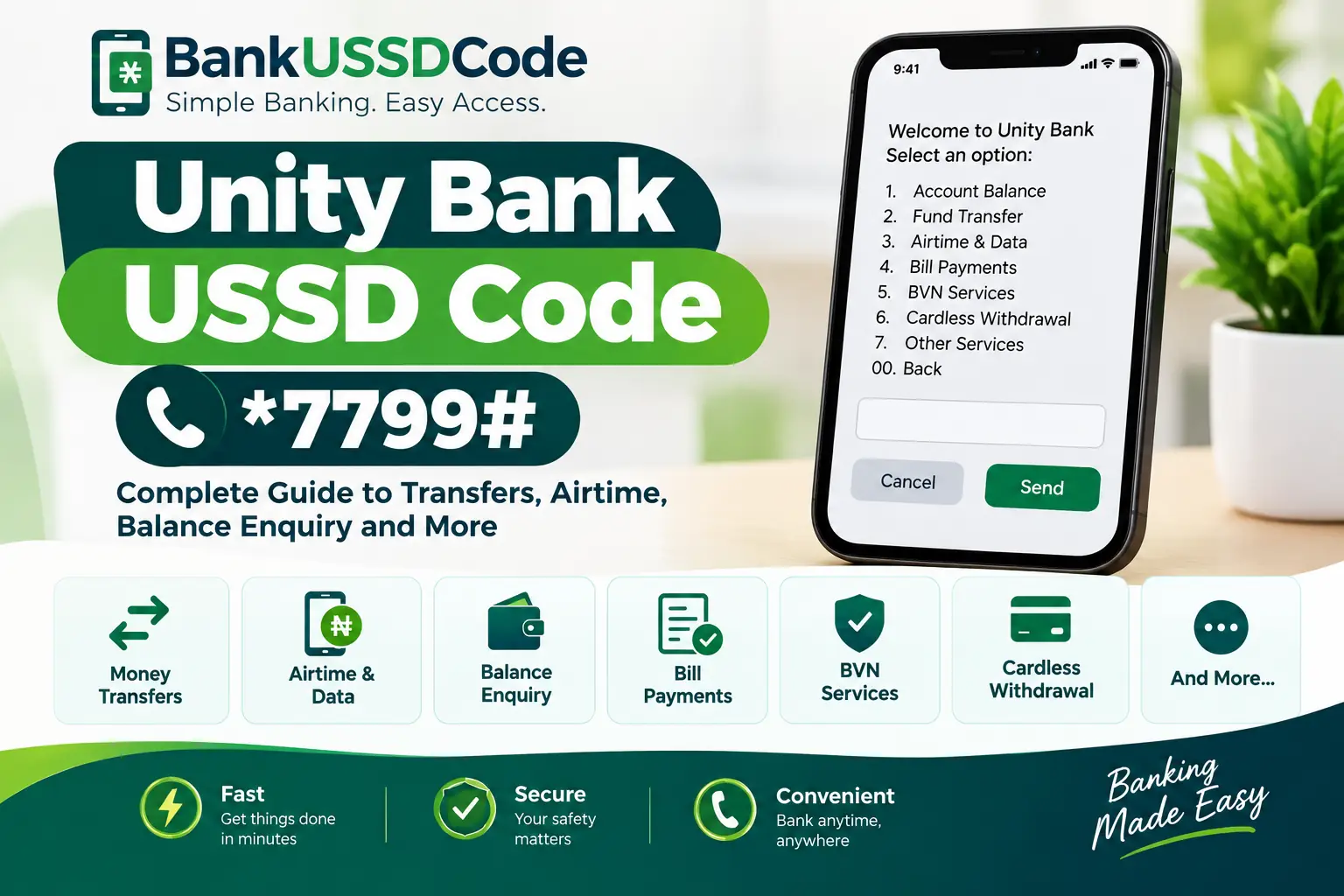
What Is the Unity Bank USSD Code?
Unity Bank historically used *7799# for USSD banking. The service was designed to let customers access selected banking functions through a mobile phone without needing an internet connection.
Because of the ProvidusUnity Bank merger, confirm the currently supported service and instructions with the bank before relying on this historical code.
1. Current Status of the Unity Bank USSD Code
Unity Bank previously advertised *7799# as its convenient banking short code. Customers could use the service to access selected financial transactions from compatible mobile phones.
However, banking services and access arrangements can change following a merger. ProvidusUnity Bank is the combined institution formed from Providus Bank and Unity Bank. Consequently, former Unity Bank customers should confirm which channels currently support their accounts.
Our recommendation: Do not rely solely on an old USSD guide. Check the code and transaction instructions through an official bank channel before entering your PIN or authorising a transfer.
This distinction matters because a code published in an old annual report or banking article does not automatically prove that the service is currently available.
2. Services Historically Available Through *7799#
Unity Bank’s historical USSD service included several banking functions. Availability depended on the service, customer eligibility and applicable banking procedures.
Fund Transfers
Transfer services were among the functions historically associated with Unity Bank USSD banking.
Balance Enquiry
The service historically supported checking account balances.
Airtime and Data
Customers could access airtime recharge and data top-up options.
Bill Payments
Selected utility and subscription payments were supported.
BVN Services
BVN-related services appeared among the historical USSD features.
Cardless Withdrawal
Cardless withdrawal was listed among the bank’s historical digital banking services.
These features describe the historical Unity Bank service and should not be interpreted as confirmation that each one remains available through the same code today.
3. How to Transfer Money
Unity Bank’s historical USSD platform offered fund transfers. However, customers should obtain the current transfer procedure from the bank before attempting a transaction.
General Transfer Safety Checklist
Do not use an unverified shortcut copied from an old article. A transaction format may have changed or may not apply to your account.
4. Buying Airtime and Mobile Data
Airtime recharge and data top-up were among the features advertised for Unity Bank’s historical USSD platform.
Mobile top-ups typically require customers to select the appropriate service, enter the amount or data option, and confirm the transaction. The precise menu and available options depend on the bank’s active system.
Before You Recharge
- Confirm that the service is supported by your current banking channel.
- Check the phone number carefully when purchasing airtime for another person.
- Verify the amount before approving the payment.
- Check your transaction history if airtime is not delivered immediately.
If the former USSD code does not work, use a digital banking channel confirmed by the bank instead of repeatedly attempting an unsupported transaction.
5. Checking Your Account Balance
Balance enquiry was another function listed in Unity Bank’s historical USSD documentation.
If you need to check your balance today, confirm which service is currently supported for your account. Depending on the bank’s arrangements, this may involve an approved mobile banking application, internet banking or assistance from customer service.
Never share your banking PIN, password, one-time password (OTP) or authentication code with someone claiming to help you check your balance.
6. Bill Payments and Other Banking Services
Unity Bank’s published historical USSD features included bill payments and other functions beyond ordinary transfers.
The exact services available now should be confirmed with ProvidusUnity Bank. Old menu options, charges and transaction limits may no longer reflect current arrangements.
7. Requirements for USSD Banking
Traditional USSD banking generally uses a mobile phone and a telephone number registered with the bank. Depending on the service, additional registration or authentication may be required.
- A mobile phone with an active SIM card.
- A telephone number linked to the bank account, where required.
- A supported banking service and an eligible account.
- The correct authentication details requested through the bank’s legitimate process.
These are general requirements for USSD banking, not confirmation that the historical Unity Bank code currently accepts registrations.
8. Security Tips for Mobile Banking
Whether you use USSD, a mobile application or internet banking, protecting your account details is essential.
Protect Your Banking Information
- Never disclose your PIN, password, OTP or authentication token.
- Do not dial banking codes sent by unknown people without verification.
- Do not install banking applications from untrusted websites.
- Verify account names and transaction amounts before authorising transfers.
- Contact the bank promptly if your phone or SIM card is lost.
- Keep transaction references when reporting failed or disputed payments.
A genuine bank representative should not ask you to reveal your secret PIN or OTP to resolve an ordinary complaint.
9. Frequently Asked Questions
What was the Unity Bank USSD code?
Unity Bank historically advertised *7799# as its convenient banking code. Customers should confirm the currently supported service with ProvidusUnity Bank before using it.
Can I still use *7799#?
Its current availability for your account has not been independently confirmed in this guide. Check with the bank before relying on the code for transactions.
Did Unity Bank merge with Providus Bank?
Yes. The merger brought the two institutions together under the ProvidusUnity Bank name.
Can I transfer money without using USSD?
Ask the bank which digital banking channels are available for your account. Use only the official application or online banking service confirmed by the bank.
Can I buy airtime through the old Unity Bank code?
Airtime recharge was a historical feature, but current availability through *7799# should be confirmed before attempting a purchase.
What should I do if the code fails?
Do not repeatedly retry an uncertain transaction. Contact the bank through an official channel and ask which service currently supports your account.
Does USSD banking require internet access?
Traditional USSD banking does not normally require mobile internet, although it requires a compatible mobile network and an active service. Mobile applications and internet banking generally require an internet connection.
Final Thoughts
Unity Bank historically used *7799# to provide access to selected USSD banking services, including transfers, airtime recharge, balance enquiry and bill payments.
Following the ProvidusUnity Bank merger, customers should verify the current code, service availability and transaction instructions directly with the bank. Confirming the correct channel before initiating a transaction is the safest way to avoid confusion and protect your money.
Official Information
For current information about the combined institution, banking products and available services, consult the bank directly.