ProvidusUnity Bank USSD Code | Everything You Need To know
ProvidusUnity Bank • USSD
ProvidusUnity Bank USSD Code | Everything You Need To Know
In 2026, Providus Bank and Unity Bank combined into one bank, ProvidusUnity Bank Limited. Customers now ask the same question: which USSD code do I dial? The honest answer depends on which bank you started with, so this guide takes it step by step.
The short version
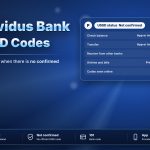
There is no new ProvidusUnity USSD code that we can confirm. Former Unity customers may still try the code they know, *7799#. If it does not respond, use the ProvidusPlus app. Providus has no USSD service of its own.
What changed
| Topic | What to know |
|---|---|
| New bank name | ProvidusUnity Bank Limited |
| Your account number | No change announced for now |
| Your BVN | Stays the same |
| Debit cards | Keep using your current card until it expires |
| Mobile app | ProvidusPlus |
| New USSD code | None confirmed |
If you were a Unity Bank customer
Your old code was *7799#. During a merger, existing channels are normally kept running while systems are joined, so it may still open for you. Try it from your registered phone number. If it opens, use it as before. If it says the service is unavailable, do not keep retrying. Use the app instead and ask the bank on its official channels.
If you were a Providus Bank customer
Providus did not offer a USSD code, and nothing new has been confirmed. Use the ProvidusPlus app or internet banking. You can also receive money from another bank’s USSD by choosing the bank from its list.
3 steps to stay on top of it
Update the app
Install the latest ProvidusPlus version from your phone’s official store.
Test your old code once
Dial it yourself. Do not follow a code that arrives in a message.
Confirm on official channels
Ask the bank before you act on any new code you hear about.
Stay safe during the change
◆ The bank will not ask for your BVN, PIN, password or OTP.
◆ Ignore texts that tell you to dial a new code to “migrate” your account.
◆ Keep your registered phone number up to date.
No confirmed new code means no code to trust blindly. Test what you know, use the app, and confirm anything new.