Activate Moniepoint Ussd Code – Simple Steps with +5573# USSD
Moniepoint • Activation
Activate Moniepoint USSD Code: Simple Steps with *5573# USSD
To use *5573# your account needs the USSD feature switched on. New users usually have it on from the start, so check first. If it is off, you can turn it on in the app in under a minute.
The short version
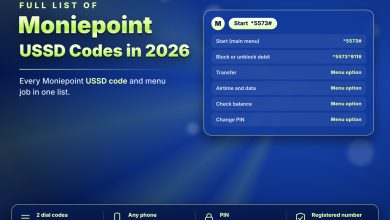
Open the Moniepoint app, go to Settings and switch on the USSD feature. Then dial *5573# from your registered number.
Turn it on in 4 steps
Log in
Open the Moniepoint Personal or Business app and sign in.
Open your profile
Tap your profile picture at the top left.
Go to Settings
Find the USSD feature option.
Switch it on
Enter your PIN when the app asks. The same switch turns USSD off.
Test it
Dial *5573# from the phone number on your account. If the menu opens, you are ready. If you see an error, check the number, your signal and the USSD setting.
| Problem | What to check |
|---|---|
| Menu does not open | Is USSD switched on in the app? |
| Wrong number | Dial from the number linked to your account |
| Session cuts off | Move to better signal and try again |
| Need to stop transactions | *5573*911# blocks debit transactions |
Switching it off
If you never use USSD, switch the feature off in the same place. That removes one way into your account.
Four taps in the app, then *5573# works.