What Is the Jaiz Bank plc USSD Codes? *773# Guide for 2026
Many Nigerians still bank on phones that cannot run apps, or in places where mobile data is slow, expensive or missing. USSD solves that problem. If you have an account with Jaiz Bank plc, one short code gives you a text menu for common transactions. This guide explains what the *773# service is, who it is for, how it works, how to start, what it can do and how to use it safely.
What does *773# mean?
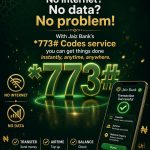
The code *773# is the short code for Jaiz Bank’s USSD banking service. The star and hash symbols tell the network that you are not making a normal call. They open a live session with the bank’s system. You type a number to pick an option, and the bank replies with the next screen. When you finish or the session times out, it closes.
How USSD differs from an app
| Feature | USSD (*773#) | Mobile app |
|---|---|---|
| Internet needed | No | Yes |
| Works on basic phones | Yes | No |
| Must install anything | No | Yes |
| Needs your registered SIM | Yes | Usually yes, plus a login |
| Best for | Quick, common transactions | Full banking features |
USSD is not a replacement for everything. An app or internet banking offers more features. But for everyday tasks, a short code is fast and reliable.
Who should use it
- People who use a basic phone.
- Customers in areas with weak data coverage.
- Anyone who has run out of data and needs to make a payment.
- People who want a simple backup if the app is down.
- Older relatives who prefer a short menu to an app.
What you can usually do
| Option | What it covers |
|---|---|
| Fund transfer | Send to a Jaiz account or another bank |
| Airtime | Top up your phone or another number |
| Bill payment | Pay utilities, TV and other billers |
| Balance enquiry | See your account balance |
| Mini statement | See recent transactions |
| Account block | Protect your account in an emergency |
The exact options and wording can change. Follow the labels you see after dialling.
How to start: a step-by-step guide
| 1 | Make sure your phone number is the one registered with your Jaiz Bank account. |
| 2 | Dial *773# and press call. |
| 3 | Follow the registration prompts if this is your first time. |
| 4 | Create a transaction PIN and keep it private. |
| 5 | Wait for the confirmation message. |
| 6 | Try a small action first, such as a balance check, to confirm that everything works. |
Using it for the first transfer
Start with a small amount to a person you trust. Choose the transfer option, enter the account number, select the bank, enter the amount and confirm with your PIN. Read each screen before you press send. Check the confirmation message, and ask the receiver to confirm that the money arrived.
Tips for a smooth session
- Dial from a place with good signal.
- Have the account number, amount and PIN ready before you start.
- Do not rush, but do not leave the session idle, because it may time out.
- If a session fails, check your balance before you try again.
- Never retry a transfer until you know whether the first one went through.
Is it safe?
USSD sessions are short-lived and protected by your PIN and your registered SIM. The main risks are human: someone learning your PIN, someone swapping your SIM or someone tricking you into dialling a code for them. Safe habits make a big difference.
- Never share your PIN or tokens, even with the bank’s staff over a call.
- Dial codes only on your own phone.
- Do not follow instructions from unknown callers.
- Keep your SIM registered in your own name and report loss at once.
- Use a phone lock to stop others from opening your dialler.
SIM swap and what to watch for
SIM swap fraud happens when someone takes control of your phone number by tricking your mobile network. Warning signs include sudden loss of signal, messages about a SIM change you did not request and unexpected alerts. If you see these, contact your network and Jaiz Bank immediately and ask for protection on your accounts.
Common errors and what to do
Check that you typed the code correctly, including the star and hash, then try again.
Start again. If money was debited, check your balance and the confirmation message before repeating.
Try again carefully. Repeated wrong attempts can lock access, so contact the bank if you forget the PIN.
Use the number registered with your account, or update your details at a branch.
Charges and limits
Banks and mobile networks may apply charges to some USSD transactions, and limits may apply to amounts per transaction and per day. The menu shows any fee before you confirm, and the bank can tell you your limits. Read the screen before you approve.
Questions people ask
Yes. The service works with your Jaiz Bank account and your registered phone number.
Network rules and roaming charges apply. Check with the bank and your network before you travel.
Update your number with the bank. A new number will not work until it is linked to your account.
Use the reset option if the menu offers one, or contact the bank or a branch with your ID.
A short history of why USSD matters in Nigeria
Nigeria has many millions of people who use basic phones, and many more who live where data is slow or costly. Banks adopted USSD so that customers would not need a smartphone to reach their accounts. For many people, a short code is the first and most trusted way to use banking. It is also a sensible backup for smartphone users, because networks and apps do not always behave. That is the reason the service remains popular long after apps arrived.
How a session works behind the scenes
When you dial the code, your phone sends a request to your mobile network. The network passes it to the bank’s USSD system, which recognises your number and shows the first menu. Each number you type goes back through the same route, and the bank replies. The session has a short time limit, which is why you should have your details ready. When you finish, confirm the result and let the session close.
| Stage | What happens |
|---|---|
| You dial | The network recognises a USSD request |
| The bank answers | Your number is checked and the menu appears |
| You choose | Each option goes back to the bank system |
| You confirm | The bank carries out the transaction and sends a message |
| The session ends | Time-out or a final confirmation closes it |
Building a simple routine around the service
- Check your balance every morning.
- Review your mini statement twice a week.
- Pay bills a few days before they are due.
- Keep a small reserve in the account for emergencies.
- Review your registered number and PIN every few months.
Teaching family members
Show relatives how to dial the code, what each screen means and why they must never share a PIN. Practise a balance check together first. Explain that the bank will not call to ask for a PIN or a token. A ten-minute lesson prevents most of the common scams that target older and younger users alike.
Understanding limits and why a transfer may fail
A transfer can fail for reasons that have nothing to do with you. The amount may be above your limit, the receiving bank may be slow, the account number may be wrong or the network may drop in the middle of the session. When a transfer fails, the safest steps are to check your balance, look for a confirmation message and wait a few minutes before you try again. Many people send twice and then wait for a reversal that takes days.
| Reason | What to do |
|---|---|
| Above your limit | Send a smaller amount or ask the bank about your limit |
| Wrong account number | Check the digits and the bank; try again carefully |
| Network drop | Check your balance first, then retry if no debit occurred |
| Receiving bank delay | Wait and ask the receiver to check later |
| Maintenance | Try again after some time or use another channel |
Common myths about USSD banking
Many smartphone owners use it as a backup because it needs no data and no login screen.
Sessions are short and protected by your PIN and your registered SIM. Most losses come from shared PINs and tricked customers, not from the code itself.
Charges, if any, are shown or published by the bank and the network. Check before you transact.
It covers common tasks. For advanced features, use the app, internet banking or a branch.
Keeping records
Keep your confirmation messages and write down references for important payments. A record helps if you ever need to dispute a transaction. It also helps you see where your money goes each month, which is the first step to saving.
Good habits to keep
- Check your balance before and after big transactions.
- Keep every confirmation message until the matter is settled.
- Change your PIN from time to time.
- Do not store your PIN in your phone notes.
- Report any strange activity quickly.
When to use a branch or the app instead
For complex tasks such as changing account details, raising limits or resolving a dispute, use the app, internet banking or a branch. USSD is best for quick, everyday transactions.
The *773# service gives Jaiz Bank customers a simple, data-free way to manage their money. Learn what it is, register from the right number, use it for small tasks first, protect your PIN and report problems fast. Then it becomes one of the most dependable tools in your pocket.