What Is Wema Bank USSD Banking 2026? || *945# Everything You Need To Know

Wema Bank • USSD banking

What Is Wema Bank USSD Banking? Everything You Need To Know

Banking by code, explained in 8 questions. Tap any one to open it.

The short version

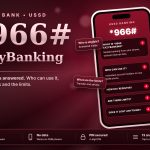
Dial *945# from your registered number, then follow the menu.

What is Wema Bank USSD banking?↓

It is a way to use your Wema account by dialling *945# on any phone. You do not need internet, only the phone number linked to your account.

Is it the same for ALAT?↓

The same code is used for Wema and ALAT accounts. If you are unsure, dial it from your registered number and see your menu.

What can I do with it?↓

Send money, buy airtime, check your balance, and manage your PIN. Open the menu to see exactly what is available to you.

  OPay Transfer Code: 5 Ways to Send Money to a Moniepoint Account
What is the balance code?↓

*945*0# is the usual balance shortcut. If it does not respond, dial *945# and choose balance in the menu.

Do I need to activate it?↓

Yes. USSD must be active on your account, in the app or at a branch, and you set a USSD PIN.

Are there fees?↓

Your network can charge for the session and a transfer fee may apply. Read your confirmation screen or alert.

What if my phone is lost?↓

Contact Wema straight away so USSD can be blocked, and ask your network to block the SIM.

Is it safe?↓

Yes, when you dial yourself and never share your PIN. Wema will not ask for your USSD PIN by call, SMS or email.

Save *945#, activate USSD and keep your PIN private.
Related Articles

Leave a Reply

Your email address will not be published. Required fields are marked *