What Is the OPay USSD Code? *955# Guide for 2026

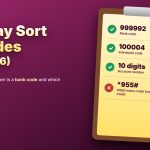
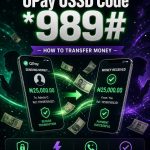
The OPay USSD Code is *955#
Dial it from the SIM registered to your OPay account, then follow the menu. No data and no app needed.
| Internet needed | No |
| Account needed | Yes, OPay |
| Works on | MTN, Airtel, Glo and 9mobile |
| Confirm with | Your OPay PIN |
How to Use It in 5 Steps
- Use the SIM linked to your OPay account
- Dial *955# and press call
- Reply with the number of the service you want
- Enter the number, account or amount asked
- Check the details, then enter your PIN
Tip: save *955# in your contacts as OPay USSD so you never mistype it, and keep a little airtime on the line for the session.
What the Menu Can Do
Depending on your account, the menu may offer:
- Transfers to OPay or bank accounts
- Airtime and data
- Bill payments
- Balance checks
If an option is missing, use the OPay app.
Fees and Limits
Your network may charge for the session, and some services carry a small fee. The confirmation screen shows what applies. Limits depend on how fully your account is verified. Check your balance before you pay so a fee or a failed payment does not catch you short.
If the Code Fails
- Check you are using the registered SIM
- Move to a spot with a stronger signal
- Wait a few minutes and redial
- Contact official OPay support if it persists
Stay Safe
Never share your PIN or one-time codes. Check the recipient’s name before you confirm, because a wrong transfer is hard to reverse. Report a lost phone or SIM at once so access can be blocked. Ignore any message telling you to dial a different code for OPay; dial *955# yourself and trust only its menu.