What Is the ABSA Bank USSD Codes South Africa? *120*2272# Guide for 2026
Banking has become easier in South Africa as financial institutions continue to introduce convenient ways for customers to access their accounts. However, not everyone wants to depend on mobile banking applications or internet connections whenever they need to perform a transaction. This is where USSD and cellphone banking become useful. Absa Bank provides a cellphone banking service that allows customers to access several banking functions directly from their mobile phones.
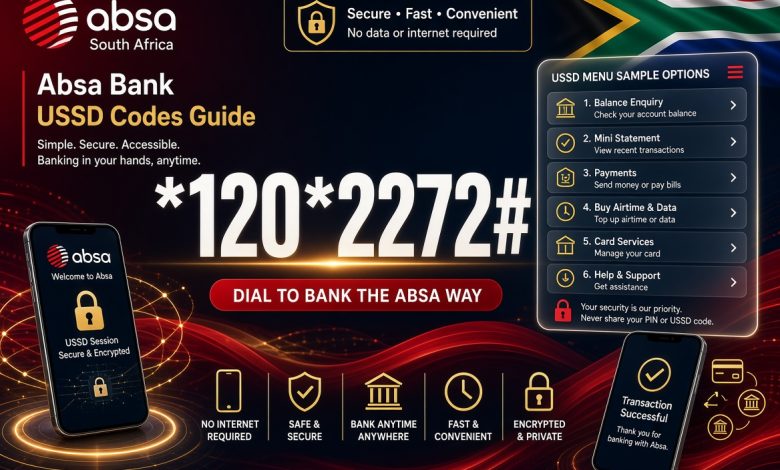
The official Absa Bank USSD code in South Africa is *120*2272#. Customers can dial this code to access the bank’s cellphone banking platform, check account balances, transfer money, make payments, purchase prepaid services and manage other available banking activities.
This comprehensive 2026 guide explains the Absa USSD code, how to register, how to access cellphone banking, the services available, how to resolve common problems and important security precautions. Whether you are an existing Absa customer or researching the bank’s mobile banking services, this article will help you understand how the service works.
1. What Is the Absa Bank USSD Code in South Africa?
The Absa Bank USSD code is *120*2272#. It is the short code customers use to access Absa Cellphone Banking in South Africa.
USSD stands for Unstructured Supplementary Service Data. It is a communication technology that allows mobile phone users to interact with banking platforms through short codes. Instead of opening a website or downloading an application, customers enter a code using their phone dialler and receive instructions on their screens.
Absa refers to its service as Cellphone Banking. It provides customers with access to banking services through a menu-based system that works on compatible mobile phones.
The code is easy to remember because the numbers 2272 correspond to the letters ABSA on a traditional telephone keypad.
OFFICIAL ABSA CELLPHONE BANKING CODE
*120*2272#
South Africa | 2026
2. What Is Absa Cellphone Banking?
Absa Cellphone Banking is a mobile banking service that allows customers to perform selected banking transactions using their mobile phones.
The service is designed for people who want convenient access to their accounts without depending on an internet connection. It provides a menu through which customers can select different banking functions.
Unlike conventional mobile banking applications, cellphone banking does not require customers to install an application before accessing the USSD menu.
Customers can use the service to check balances, transfer money, make payments, purchase prepaid services and access other supported features.
It is particularly useful for people who use basic mobile phones, have limited access to mobile data or prefer a simple banking interface.
3. How to Register for Absa USSD Banking
Before using Absa Cellphone Banking for the first time, eligible customers must complete the registration process.
Registration involves accepting the service terms and conditions, providing identification details and creating a five-digit numeric PIN.
Follow these steps:
- Open the dialler on your mobile phone.
- Dial *120*2272#.
- Select option 1 to proceed with registration.
- Read and accept the terms and conditions.
- Enter your South African identity number or passport number when requested.
- Create a five-digit numeric banking PIN.
- Follow any additional instructions displayed on your screen.
- Wait for the registration confirmation.
Once registration is successful, you can use your five-digit PIN to access the cellphone banking menu.
Keep your PIN private and avoid using numbers that other people can easily guess.
4. How to Log In to Absa Cellphone Banking
After completing registration, accessing your Absa cellphone banking account is straightforward.
Use the following procedure:
- Open your phone’s dialler.
- Dial *120*2272#.
- Enter your five-digit cellphone banking PIN.
- Press Send.
- Wait for the main banking menu.
- Select the number corresponding to the service you want.
- Follow the instructions displayed on your screen.
Make sure you enter the correct PIN. If you repeatedly enter incorrect details, you may experience restrictions on your banking access.
5. How to Check Your Absa Bank Account Balance Using USSD
Checking your account balance is one of the useful services available through Absa Cellphone Banking.
You can use the service to view how much money is available in your account without visiting an ATM or opening the mobile banking application.
To check your balance:
- Dial *120*2272#.
- Enter your five-digit PIN.
- Select option 1 on the main menu for Balances.
- Select option 1 for Balances again when prompted.
- Choose the account you want to check.
- Your account balance will be displayed.
Make sure you select the correct account if you have multiple accounts linked to your banking profile.
6. How to Transfer Money Using Absa USSD Code
Absa Cellphone Banking provides customers with the ability to transfer money between their accounts.
Account transfers can be useful when you want to move funds between eligible accounts without visiting a branch.
The available transfer options depend on the accounts linked to your banking profile.
To make a transfer, dial *120*2272#, enter your PIN and look for the transfer option in the banking menu.
Follow the displayed instructions and carefully select the account you want to debit and the destination account.
Before confirming, check the amount and account details. A mistake in transaction information can cause unnecessary problems.
Always wait for the transaction confirmation before assuming that the transfer has been completed.
7. How to Pay Beneficiaries Using Absa USSD Banking
Absa customers can use cellphone banking to make payments to existing beneficiaries and other supported payment recipients.
This feature is useful for paying people or businesses whose banking details have already been added to the appropriate payment profile.
To make a third-party payment:
- Dial *120*2272#.
- Enter your five-digit PIN.
- Select option 3 for Payments.
- Select option 2 for Existing Beneficiaries.
- Choose the beneficiary you want to pay.
- Enter the payment amount.
- Select the account you want to pay from.
- Enter the beneficiary reference when requested.
- Choose the available proof-of-payment delivery option.
- Review the transaction details.
- Select option 1 to accept the payment.
Once the transaction is successfully processed, follow the confirmation instructions provided by the banking platform.
8. What Is Absa CashSend?
CashSend is an Absa service that allows customers to send money to another person who can collect the funds through an Absa ATM using the required withdrawal information.
It is useful when the recipient does not need a conventional bank transfer into an account to receive the money.
The sender initiates the transaction through an eligible banking channel and creates a six-digit access code for the recipient.
The recipient uses the required access information to collect the money at an Absa ATM.
CashSend provides an alternative way to send money to someone when a conventional account-to-account transfer is not the preferred option.
9. How to Send Money Using Absa CashSend
Absa provides a CashSend option through its cellphone banking platform.
To send money using this service, follow these instructions:
- Dial *120*2272#.
- Enter your five-digit PIN.
- Select option 5 to proceed.
- Select option 1 for Send Cash.
- Select option 2 to send money to a new beneficiary.
- Enter the recipient’s cellphone number.
- Enter the recipient’s name.
- Select the account you want to debit.
- Enter the amount you want to send.
- Create the six-digit access code required by the recipient.
- Review the transaction details.
- Select option 1 to confirm the transaction.
After successful processing, provide the recipient with the withdrawal access code and the necessary transaction information.
Never share the access code with anyone other than the intended recipient.
10. How to Buy Airtime Using Absa USSD Code
Absa cellphone banking also supports prepaid airtime purchases.
This feature allows eligible customers to purchase airtime for themselves or other mobile phone users.
To buy airtime, dial *120*2272# and enter your PIN.
Select the Prepaid option from the menu and follow the instructions displayed.
Depending on the available options, you may be able to select a mobile network, enter the recipient’s telephone number and specify the airtime amount.
Carefully check the recipient’s number and selected network before confirming the purchase.
Airtime transactions may not be reversible when the wrong telephone number or network is selected.
11. How to Buy Data Bundles Using Absa USSD
Customers can also use Absa’s prepaid banking services to purchase mobile data bundles.
Data purchases are useful for people who need internet access for communication, work, entertainment and online activities.
To purchase data through cellphone banking:
- Dial *120*2272#.
- Enter your cellphone banking PIN.
- Open the Prepaid menu.
- Select the relevant data or bundle option.
- Choose the mobile network.
- Enter the telephone number receiving the bundle.
- Select the available data package.
- Review the information and confirm the transaction.
Absa’s prepaid services support airtime and data purchases for eligible mobile devices. Customers should check the available packages displayed during the transaction.
12. How to Buy Prepaid Electricity Using Absa USSD
Prepaid electricity purchases are another useful feature of Absa cellphone banking.
Customers can purchase electricity tokens through the banking platform without visiting a physical electricity retailer.
To purchase electricity for a new beneficiary:
- Dial *120*2272#.
- Enter your five-digit PIN.
- Select option 2 for Prepaid.
- Select option 2 for Electricity.
- Select option 2 for New Beneficiary.
- Enter the electricity meter number.
- Enter the recipient’s name.
- Enter the purchase amount.
- Select the account you want to debit.
- Select option 1 to continue.
- Review the transaction and select option 1 to accept.
- Choose where you want the electricity token delivered.
Once the purchase is successful, you can retrieve the token and use it according to your electricity meter’s instructions.
Always check the meter number before confirming payment. Entering an incorrect meter number can result in the electricity token being issued for another property.
13. How to Resend a Prepaid Electricity Token
Sometimes customers successfully purchase electricity but cannot locate the token message.
This can happen when a message is deleted, a phone experiences a network problem or the token is delivered to a different available contact channel.
Absa cellphone banking provides a token resend option for eligible transactions.
To retrieve an electricity token:
- Dial *120*2272#.
- Enter your PIN.
- Select option 2 for Prepaid.
- Select option 2 for Electricity.
- Select option 3 to resend the token.
- Choose the beneficiary.
- Select the relevant electricity transaction.
- Choose the telephone number where you want the token sent.
- Follow the remaining instructions.
Keep your electricity purchase information available in case you need to contact customer support.
14. How to View Your Absa Mini Statement
A mini statement helps customers monitor recent account activity.
It provides information about recent transactions and can help you identify payments, transfers and other account movements.
Absa includes account mini-statements among its cellphone banking services.
To access the service, dial *120*2272#, enter your PIN and look for the statement or account information option in the menu.
Select the relevant account and follow the instructions displayed.
Reviewing your recent transactions regularly can help you identify unfamiliar activity and monitor your spending.
15. How to Register for PayShap Using Absa USSD
PayShap is a South African payment service designed to make digital payments easier and more convenient.
Absa customers can access PayShap registration through cellphone banking.
To register a ShapID:
- Dial *120*2272#.
- Enter your five-digit PIN.
- Select option 4 for PayShap.
- Select Register your ShapID.
- Accept the terms and conditions.
- Enter the cellphone number linked to your banking profile.
- Enter your preferred Know-as name.
- Select the account you want to link.
- Choose whether Absa should be your primary bank.
- Review and confirm your registration details.
Once registration is completed successfully, you can use your registered ShapID according to the available PayShap services.
16. How to Reset Your Absa Cellphone Banking PIN
Your five-digit cellphone banking PIN is an important security feature.
If you need to change or reset your PIN, Absa provides a reset process through its cellphone banking platform.
Follow these steps:
- Dial *120*2272#.
- Enter your last known five-digit PIN.
- Select option 1 for Reset PIN.
- Enter your South African ID number or passport number.
- Enter a new five-digit numeric PIN.
- Follow the instructions to complete the reset.
Choose a PIN that is difficult for another person to guess. Do not use your date of birth, repeated numbers or other easily identifiable combinations.
If you cannot complete the reset process, contact Absa through its official customer support channels.
17. Can You Use Absa USSD Banking Without Internet?
Yes. Absa Cellphone Banking is designed to work without mobile internet access.
Customers do not need to open a browser, connect to Wi-Fi or download a mobile application to access the USSD service.
The service communicates through the mobile telecommunications network using USSD technology.
This makes it useful for people who have limited mobile data or use basic mobile phones.
However, an active mobile network connection is still necessary. If your phone has no signal or the telecommunications network experiences an interruption, the USSD session may not work properly.
18. Does Absa USSD Banking Require Airtime?
Absa states that customers do not need airtime to use its cellphone banking service.
This means eligible customers can access the banking menu without purchasing prepaid airtime simply to initiate a USSD banking session.
However, this does not mean that every transaction is free. Applicable banking charges, transaction fees and other service conditions may still apply.
Customers should check Absa’s current pricing information before making transactions that attract charges.
19. Can You Use Absa USSD Banking on Any Mobile Phone?
Absa cellphone banking is designed to work on different types of mobile phones.
You do not necessarily need an Android smartphone or an iPhone to access the USSD menu.
A compatible basic mobile phone can be sufficient because the service uses the phone dialler rather than an installed application.
This makes the platform accessible to customers who prefer simpler mobile devices.
However, your mobile phone must have a working SIM card and access to a compatible telecommunications network.
20. Why Is the Absa USSD Code Not Working?
Sometimes customers may experience problems when attempting to access Absa Cellphone Banking.
Several factors can cause a USSD session to fail or prevent the banking menu from appearing.
Common reasons include:
- Network problems: Poor mobile network coverage can interrupt USSD communication.
- Incorrect PIN: Entering the wrong five-digit PIN may prevent access.
- Registration problems: Customers who have not completed registration may be unable to use the full service.
- SIM card changes: A new telephone number may require profile updates or additional verification.
- Temporary maintenance: Absa may occasionally experience service interruptions.
- Session timeout: Waiting too long before responding to a menu prompt can terminate the session.
- Incorrect code: Entering the wrong USSD combination will prevent access to the intended service.
Confirm that you have entered *120*2272# correctly. Check your network connection and try again after a short period.
If the problem continues, contact Absa for assistance.
21. What to Do When an Absa USSD Transaction Fails
A failed transaction can be frustrating, especially when you are making an important payment or transferring money.
However, a USSD session closing unexpectedly does not always mean that the transaction was unsuccessful.
Follow these steps:
- Check whether you received a transaction confirmation message.
- Review your account balance or transaction history.
- Record the transaction amount and time.
- Keep any available transaction reference number.
- Contact Absa if the transaction status remains unclear.
Do not immediately repeat a transaction if your account may already have been debited.
Waiting for confirmation can help prevent duplicate payments and unnecessary financial complications.
22. Is Absa USSD Banking Safe?
Absa cellphone banking uses security measures designed to protect customers during mobile banking transactions.
One important security requirement is the five-digit PIN used to access the service.
However, customers also have a responsibility to protect their banking information.
Follow these precautions:
- Never share your cellphone banking PIN with another person.
- Do not allow strangers to access your banking session.
- Check payment details before confirming transactions.
- Keep your mobile phone protected with a screen lock.
- Report suspicious banking activity immediately.
- Contact your network provider if your registered SIM card is lost or stolen.
- Avoid following suspicious links requesting your banking credentials.
Absa warns customers that it will not send a link requesting their PIN and password.
Always use the official banking platform and exercise caution when receiving unexpected messages about your account.
23. What Happens If You Lose Your Registered SIM Card?
Your registered mobile number is important because it is connected to your cellphone banking profile.
If your SIM card is lost or stolen, contact your telecommunications provider immediately to report the problem and request assistance.
You should also contact Absa to discuss the necessary security measures for your account.
If another person gains control of your registered telephone number, they may attempt to access services connected to that number.
Acting quickly can help reduce the risk of unauthorized access.
Do not share your banking PIN with anyone claiming they need it to help recover your SIM card or banking profile.
24. Absa USSD Banking Compared With the Absa Banking App
Absa offers different digital banking channels to help customers manage their finances.
Two important options are cellphone banking and the Absa Banking App.
Although both services provide access to banking functions, they operate differently.
| Feature | USSD Banking | Mobile App |
|---|---|---|
| Internet required | No | Internet connection required for online services |
| Installation | No application required | Application required |
| Basic phones | Supported on compatible phones | Not supported on basic phones |
| Account balances | Available | Available |
| Money transfers | Available services | Available services |
| Prepaid services | Supported services | Supported services |
Customers can choose whichever channel best suits their circumstances. Cellphone banking is useful when internet access is unavailable, while the mobile application provides a graphical interface and additional digital banking features.
25. About Absa Bank South Africa
Absa is one of the major financial services groups operating in Africa. Its South African banking operations provide financial products and services to individuals, businesses and other customers.
The institution offers a range of banking services, including personal banking, business banking, savings, investments, lending, payments and digital financial services.
Absa has continued to expand its digital banking channels to make financial services more accessible and convenient.
Customers can interact with the bank through different channels, including its mobile banking application, internet banking, cellphone banking, ATMs, telephone banking and physical branches.
Its cellphone banking platform is particularly useful for customers who want to access selected banking services without relying on mobile internet.
26. Absa Bank Customer Care Contact Details
If you experience problems using the Absa USSD code, you can contact the bank through its customer support channels.
Absa Bank South Africa
Customer care: 08600 08600
Cellphone banking: *120*2272#
Email: [email protected]
Country: South Africa
You can contact customer support for assistance with registration, PIN problems, transaction enquiries and other banking questions.
When reporting a transaction problem, provide the relevant transaction information, including the date, amount and reference number where available.
Never disclose your confidential banking PIN or password when requesting assistance.
27. Important Things to Know Before Using Absa USSD Banking
Before using the Absa cellphone banking platform, customers should understand several important requirements.
- The official USSD code is *120*2272#.
- The service is called Absa Cellphone Banking.
- First-time users must complete registration.
- Registration requires a South African ID number or passport number.
- Customers create a five-digit numeric PIN.
- The service works without mobile internet.
- Absa states that airtime is not required for cellphone banking.
- Customers can access account balances and other banking services.
- Payments and transfers require careful confirmation.
- Transaction charges may apply depending on the service and applicable banking terms.
- Customers should protect their PIN and personal banking information.
Understanding these requirements will help you use the platform correctly and avoid common mistakes.
28. Frequently Asked Questions About Absa Bank USSD Code
What is the Absa Bank USSD code in South Africa?
The official Absa Bank USSD code is *120*2272#. It provides access to Absa Cellphone Banking.
What does *120*2272# mean?
It is Absa’s cellphone banking short code. The numbers 2272 correspond to the letters ABSA on a traditional telephone keypad.
How do I register for Absa USSD banking?
Dial *120*2272#, accept the terms and conditions, enter your South African ID number or passport number and create a five-digit numeric PIN.
How do I check my Absa account balance?
Dial *120*2272#, enter your PIN, select option 1 for Balances and follow the displayed instructions.
Can I transfer money using Absa USSD?
Yes. Absa Cellphone Banking supports account transfers and payments to eligible beneficiaries.
Can I buy airtime using Absa USSD?
Yes. The cellphone banking platform provides prepaid airtime purchasing services.
Can I buy electricity using Absa USSD?
Yes. Customers can purchase prepaid electricity through the Prepaid menu.
Can I send money to someone without a bank account?
Absa CashSend allows customers to send money that an intended recipient can collect from an Absa ATM using the required access information.
Does Absa USSD banking require internet?
No. The service works through USSD technology and does not require mobile internet access.
Does Absa cellphone banking require airtime?
Absa states that customers do not need airtime to use its cellphone banking service.
How many digits is the Absa cellphone banking PIN?
The cellphone banking PIN is five digits long.
Can I reset my Absa USSD PIN?
Yes. Absa provides a PIN reset process through its cellphone banking platform using your last known PIN and identification details.
What is the Absa customer care number?
Absa’s published customer support number is 08600 08600.
Can I use Absa USSD banking on a basic phone?
Yes. The service is designed to work on compatible basic mobile phones as well as smartphones.
29. Final Thoughts on Absa Bank USSD Code South Africa for 2026
Absa Bank provides cellphone banking as a convenient way for customers to access selected financial services through their mobile phones.
The official USSD code is *120*2272#. Customers can use it to register for cellphone banking, check account balances, make payments, transfer funds, purchase airtime and data, buy prepaid electricity and access CashSend.
One of the biggest advantages of the service is that it does not require mobile internet or an installed banking application. This makes it a useful option for customers who prefer basic mobile banking or have limited internet access.
To get started, dial *120*2272#, complete the registration process if you are a new user and follow the instructions displayed on your screen.
Always protect your five-digit PIN, confirm transaction details before approving payments and contact Absa if you experience difficulties.
For anyone searching for the Absa Bank USSD code in South Africa in 2026, the important number to remember is *120*2272#.