What Is the Diamond Bank USSD Code? *426# Guide for 2026
What Is the Diamond Bank USSD Code? *426# Guide for 2026
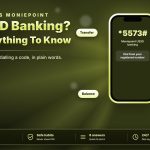
The Diamond Bank USSD code is *426#. Diamond Bank merged into Access Bank in 2019, so Diamond accounts now sit with Access Bank, whose main USSD code is *901#. Both codes are in use, and the right one depends on your account.
*426# vs *901#
| *426# | Original Diamond Bank code, used by Diamond (now Access) accounts |
| *901# | Access Bank main code, used by Access accounts |
| Dial from | The phone number linked to your account |
Which One Should You Use?
- Diamond-origin account: start with *426#
- Access account: use *901#
- Code does not respond: try the other one, then the mobile app
- Unsure which you hold: ask your branch
Think of it as one bank with two entry points. Services, limits and fees follow your account type and the bank’s current terms, not the code you dial, so check the confirmation screen before you approve any payment.
How to Use *426#
- Dial *426# from the number linked to your account
- Accept the prompt to continue
- Choose your service from the menu
- Enter the details asked
- Confirm with your PIN
Available services can differ by account, so follow the menu you see. Save *426# in your contacts so you never mistype it.
If It Does Not Work
Check that you are using the registered SIM and a steady signal, then redial after a few minutes. If the menu still fails, use *901# or the bank’s app, or visit a branch to confirm your account details and PIN status.
Stay Safe
Never share your PIN or OTP, and ignore messages that ask you to dial unfamiliar codes. Confirm the recipient name before every transfer, and report a lost phone or SIM to your bank immediately.